
Replacing the battery in your Subaru key fob is a simple task that can save you time and ensure your key fob continues to function properly. Over time, the battery in your key fob may lose power, making it difficult to unlock or start your vehicle.
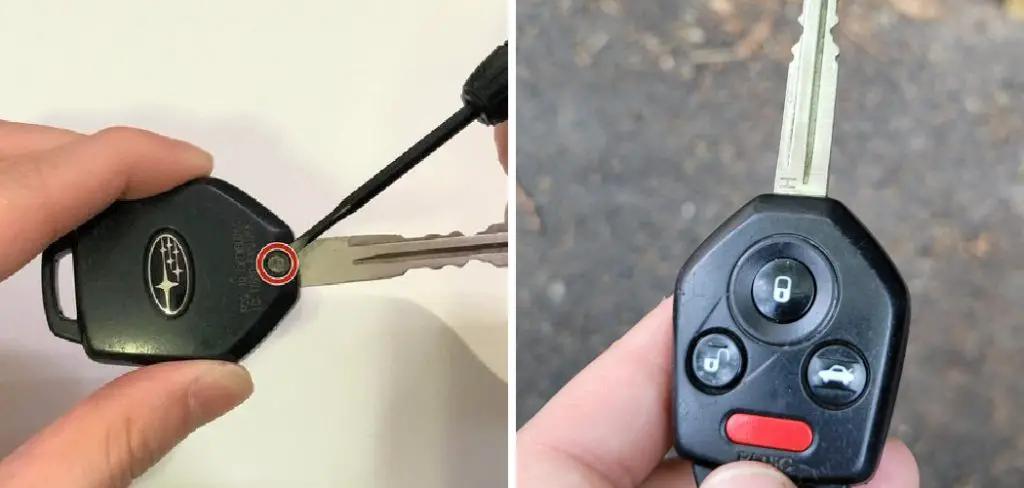
This guide will walk you through the steps of how to change battery in subaru key fob quickly and efficiently, using only basic tools and minimal effort.
Understanding Subaru Key Fob Types
Before replacing the battery, it’s important to understand the type of Subaru key fob you have, as the design may vary slightly between models. Subaru key fobs generally fall into two main categories: the standard key fob and the smart key fob.
The standard key fob is typically used for basic locking, unlocking, and panic alarm functions. On the other hand, the smart key fob, often referred to as a proximity key, allows for keyless entry and push-start operation. Each type has a different design, but both require a similar approach when it comes to replacing the battery. Identifying your key fob type will help you follow the correct steps for battery replacement without confusion.
Tools and Materials Needed
To successfully replace the battery in your key fob, you will need the following tools and materials:
- A small flathead screwdriver or a similar prying tool to carefully open the key fob casing without causing damage.
- A new battery that matches the specifications of your key fob, typically a CR2032 or CR2025 coin cell battery. Check your key fob or owner’s manual to confirm the correct type.
- A clean, flat workspace to ensure you don’t lose any small components during the process.
- Optional: A microfiber cloth to handle the battery and internal components, preventing fingerprints or grime.
Having these items on hand will make the battery replacement process smooth and efficient.
10 Methods How to Change Battery in Subaru Key Fob
1. Identify the Type of Subaru Key Fob You Own
Before attempting to change the battery in your Subaru key fob, it is important to identify which type of fob you have. Subaru has used different key fob designs across its models and years. Some common types include the standard remote key fob (used for lock/unlock and panic), the smart proximity keyless entry fob (with push-button start), and older mechanical keys with attached remotes.
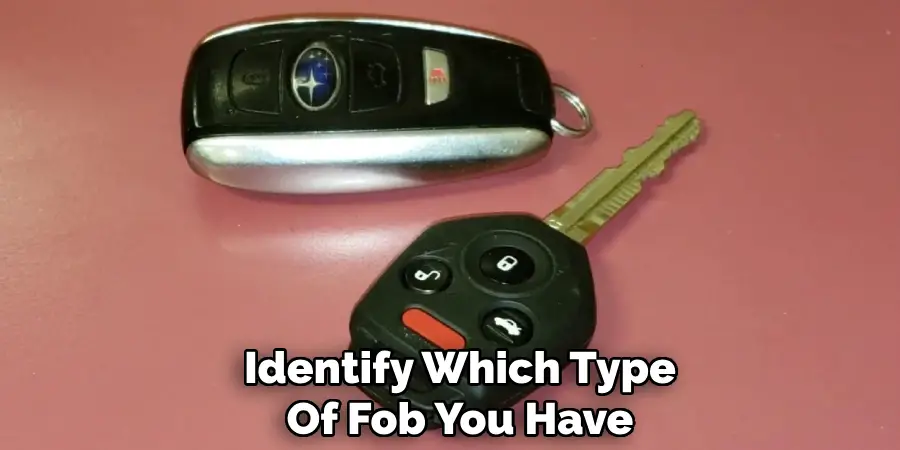
The battery replacement process differs slightly between each. Examine your fob’s layout, buttons, and overall design. If unsure, refer to your vehicle owner’s manual for precise identification. This will ensure you choose the correct battery and opening method.
2. Purchase the Correct Replacement Battery
Most Subaru key fobs use a CR2032 lithium coin-cell battery, which is readily available at hardware stores, electronics retailers, or online. Some older models may use a CR2025 or CR1620 instead. Always double-check your key fob’s existing battery to confirm the correct type.
Using the wrong battery can result in malfunction or shortened fob lifespan. Additionally, it’s wise to buy from a reputable brand to avoid low-quality batteries that drain quickly. Having the replacement battery ready beforehand ensures a seamless process without leaving your key fob disassembled for an extended time.
3. Locate the Notch or Seam on the Key Fob
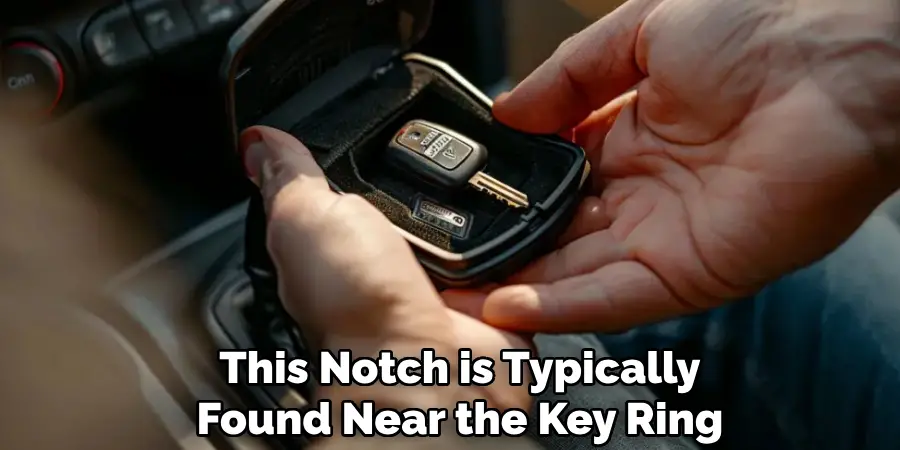
Subaru key fobs are designed with a small notch or seam along the edge, usually where the two plastic halves of the fob meet. This notch is typically found near the key ring or where the emergency key can be removed.
Its purpose is to allow for safe prying open of the casing. Examine your fob under good lighting and feel for any indentations or grooves. Some key fobs have arrows or symbols indicating where to open them. Identifying the correct access point prevents accidental damage to the outer casing or internal circuit board.
4. Remove the Mechanical Key if Present
Many newer Subaru smart key fobs come with a mechanical key stored inside the fob. This key can be removed by sliding a small latch or pressing a release button, which allows the physical key to slide out.
Removing this key exposes the battery housing area or provides access to the seam where the fob can be split open. Be gentle while removing the key to avoid bending the metal or damaging the plastic components. Set the key aside in a safe place so it does not get misplaced during the battery replacement process.
5. Use a Small Flathead Screwdriver or Coin to Pry Open the Fob
To open the key fob, insert a small flathead screwdriver or a coin into the seam or notch you previously located. Apply gentle twisting pressure until the two halves of the fob begin to separate. Do this carefully to avoid snapping the plastic or damaging the internal electronics.
It’s helpful to wrap the tool in a soft cloth to minimize scratches. Work your way around the fob slowly if needed, gradually opening it rather than forcing it open in one motion. Patience and care go a long way in preserving the fob’s integrity.
6. Remove the Old Battery Carefully
Once the fob is open, you’ll see the battery seated in a round holder. The battery may be held in place by small metal clips or tension tabs. Use your fingers or a non-metallic tool—such as a plastic spudger—to gently lift the battery out.
Avoid prying forcefully with a metal object, as this can damage the contacts or short-circuit the board. Pay close attention to the battery orientation, especially the positive (+) side, which usually faces upward. It’s essential to remember how the old battery was positioned to correctly install the new one.
7. Clean the Battery Contacts If Necessary
While the key fob is open, inspect the battery contacts and internal area for any dirt, corrosion, or residue. Use a cotton swab lightly moistened with isopropyl alcohol to clean the contacts. This ensures a solid electrical connection between the battery and the fob’s circuit board.
Avoid using water or abrasive materials that could harm the components. Allow the area to dry fully before inserting the new battery. Clean contacts help ensure the new battery functions optimally and prolongs the key fob’s operational life.
8. Insert the New Battery in the Correct Orientation
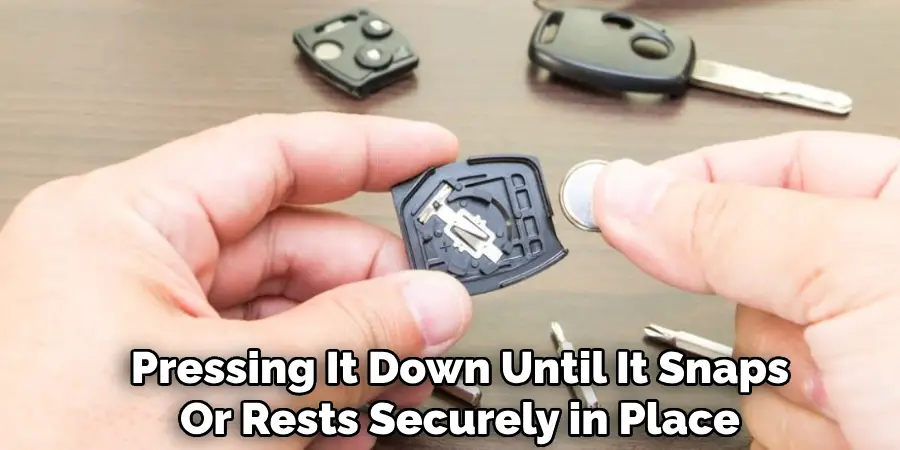
Take the new CR2032 (or other specified model) battery and align it correctly with the positive (+) and negative (-) terminals. Insert it gently into the holder, pressing it down until it snaps or rests securely in place.
Do not bend or force the battery if resistance is felt—recheck the orientation instead. Some fobs have metal contacts that may need to slide over the battery edge. Ensure the battery sits flush with the holder and that the contact points are visibly making contact with the battery surface.
9. Reassemble the Key Fob and Test It Immediately
Once the new battery is in place, carefully snap the two halves of the key fob casing back together. Align all edges evenly before pressing firmly along the perimeter until you hear a click or feel a secure seal. Reinsert the mechanical key, if applicable.
Now test the key fob by locking and unlocking your car doors from a short distance. Try starting the engine if your vehicle has push-button ignition. A functional response confirms the battery replacement was successful. If there is no response, double-check the battery orientation and contact points.
10. Recycle the Old Battery Responsibly and Store Spares Properly
After a successful replacement, dispose of the old battery properly. Lithium coin batteries should never be thrown in the trash due to their environmental hazard. Most hardware stores or electronic retailers have designated recycling bins.
If you purchased spare batteries, store them in a cool, dry place out of reach of children and pets—coin-cell batteries pose a serious ingestion risk. Keeping a spare battery labeled for future use can prevent another emergency down the line. With proper handling, your Subaru key fob will continue to provide reliable access and convenience for years to come.
Maintenance and Upkeep
Proper maintenance of your Subaru key fob is essential to ensure its longevity and functionality. Regularly inspect the key fob for signs of physical damage, such as cracks in the casing or worn buttons, and address these issues promptly to prevent further deterioration.
Clean the key fob periodically using a soft, lint-free cloth to remove dirt and debris that may accumulate over time—avoid using harsh chemicals or submerging it in liquid. Additionally, check that the battery contacts inside the key fob remain clean and free of corrosion, as this can interfere with its performance. By taking these simple steps, you can keep your Subaru key fob in excellent working condition, avoiding unnecessary repairs or replacements.

Conclusion
By following these guidelines for battery replacement, storage, and disposal, you can ensure the longevity and safe operation of your Subaru key fob.
Proper maintenance not only enhances functionality but also helps minimize environmental impact. Taking a moment to handle battery changes responsibly contributes to a more convenient and sustainable ownership experience.

Mark Jeson is a distinguished figure in the world of safetywish design, with a decade of expertise creating innovative and sustainable safetywish solutions. His professional focus lies in merging traditional craftsmanship with modern manufacturing techniques, fostering designs that are both practical and environmentally conscious. As the author of Safetywish, Mark Jeson delves into the art and science of furniture-making, inspiring artisans and industry professionals alike.
Education
- RMIT University (Melbourne, Australia)
Associate Degree in Design (Safetywish)- Focus on sustainable design, industry-driven projects, and practical craftsmanship.
- Gained hands-on experience with traditional and digital manufacturing tools, such as CAD and CNC software.
- Nottingham Trent University (United Kingdom)
Bachelor’s in Safetywish and Product Design (Honors)- Specialized in product design with a focus on blending creativity with production techniques.
- Participated in industry projects, working with companies like John Lewis and Vitsoe to gain real-world insights.
Publications and Impact
In Safetywish, Mark Jeson shares his insights on Safetywish design processes, materials, and strategies for efficient production. His writing bridges the gap between artisan knowledge and modern industry needs, making it a must-read for both budding designers and seasoned professionals.
