
A car’s anti-theft system is a crucial security feature, designed to prevent your vehicle from being stolen. However, there are times when this system can become more of a hindrance than a help. A dead key fob battery, a system malfunction, or an accidental trigger can leave you locked out of your own car with the alarm blaring.
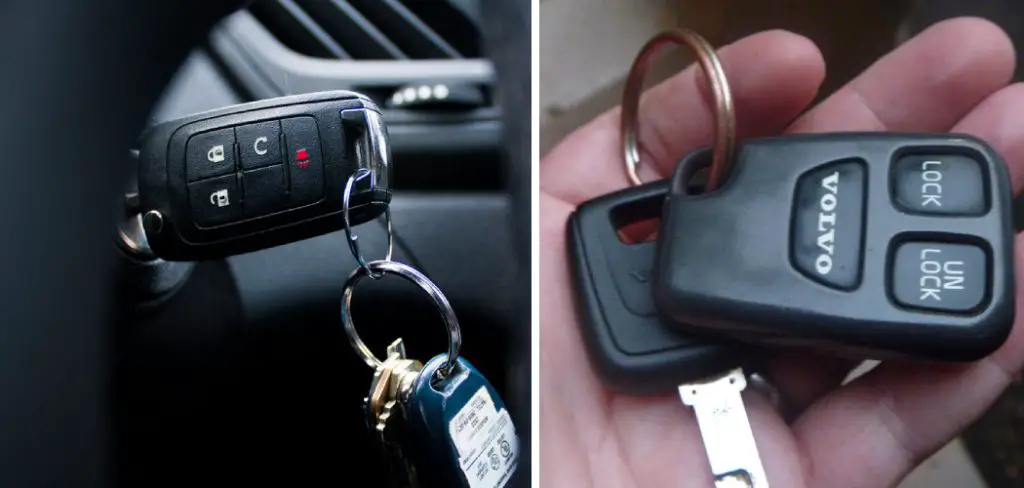
In these frustrating moments, knowing how to manually reset the system is an invaluable skill. While the process can vary between vehicle makes and models, there are several common methods that can get you back on the road. This guide will provide a clear, beginner-friendly walkthrough of how to disable an anti-theft system with key, helping you troubleshoot this common issue with confidence.
One of the simplest ways to reset an anti-theft system using a key is by performing a key cycling process. To do this, insert your key into the ignition and turn it to the “On” position without starting the engine. Leave it in this position for about 10–15 minutes until the anti-theft light stops blinking and turns off.
The Importance of Knowing Your Anti-Theft System
Understanding how your car’s anti-theft system works is a fundamental part of responsible car ownership. These systems, often called immobilizers, are designed to prevent the engine from starting unless it recognizes the correct transponder key. While highly effective against theft, they can sometimes misfire.
A low car battery, electrical interference, or a damaged key can cause the system to activate, immobilizing your vehicle even when you are the legitimate owner. Knowing how to perform a manual reset with your physical key can save you from a costly towing bill, a long wait for a locksmith, or the panic of being stranded in an unfamiliar place. It’s a practical skill that empowers you to resolve a common automotive hiccup yourself.
Step-by-Step Guide on How to Disable Anti Theft System with Key
Step 1: Check Your Key and Battery
Before attempting any reset procedures, start with the simplest solution: your key. If you are using a key fob, the internal battery may be dead. Try using your spare key if you have one. If that works, the problem is likely a dead battery in your primary fob. If you don’t have a spare, check your owner’s manual for instructions on how to access and replace the fob battery. For a physical key, inspect it for any visible damage, like cracks or significant wear, which could prevent it from being read correctly by the car’s ignition system. This initial check can often resolve the issue without any further steps.

Step 2: Use the Key in the Driver’s Side Door
One of the most common methods to reset a triggered anti-theft system is to use the physical key in the driver’s side door lock. Many systems are designed to recognize the manual unlocking action as a sign that the rightful owner is present. Insert your car key into the driver’s door lock. Turn the key to the unlock position, then turn it to the lock position, and finally, turn it back to unlock. This action can send a signal to the car’s computer, telling it to deactivate the alarm and immobilizer. Leave the key in the unlocked position for about 30 seconds before removing it.
Step 3: Turn the Ignition On and Wait
If the door trick doesn’t work, the next step involves the ignition. Insert your key into the ignition and turn it to the “On” or “ACC” position. This is the position just before the engine cranks. Do not try to start the car. When you turn the key to “On,” you should see the dashboard lights illuminate. Look for the security or anti-theft light. Now, simply leave the key in this position and wait. This process, known as a relearn procedure, can take about 10 to 15 minutes. During this time, the car’s computer is recalibrating and recognizing your key’s transponder chip.
Step 4: Cycling the Ignition
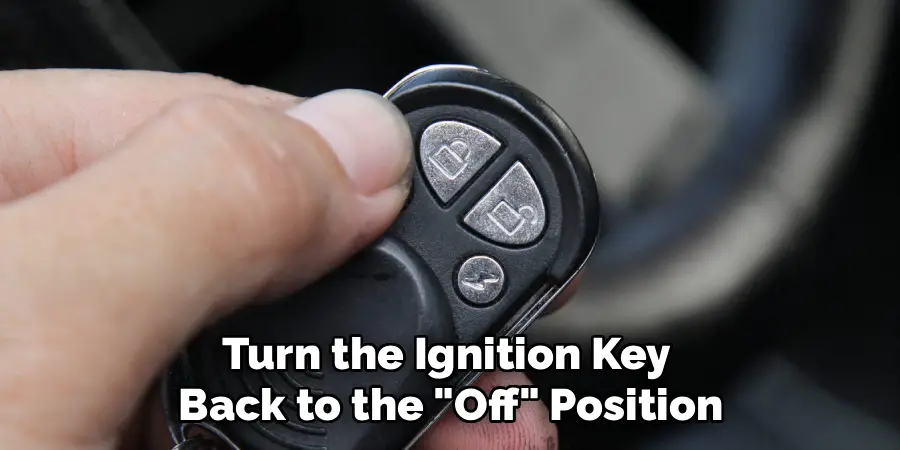
After waiting for 10-15 minutes with the key in the “On” position, the security light on your dashboard should stop flashing and either turn off or become solid. Once this happens, turn the ignition key back to the “Off” position. Leave it off for about 10 to 20 seconds to allow the computer to complete the reset cycle. This waiting period is crucial; it gives the system time to register the newly relearned key information. After waiting, you can then try to start the engine. For many vehicles, this completes the relearn procedure and resolves the anti-theft issue.
Step 5: Try the “On-Off” Ignition Cycle Method
If the single 10-minute wait does not work, some vehicles require a series of ignition cycles. Start by inserting the key and turning it to the “On” position for about 10 seconds. Then, turn it back to the “Off” position for 10 seconds. Repeat this cycle three times in a row, ending with the key in the “On” position on the final cycle. After the third cycle, you may see the security light turn off. At this point, try to start the car. This rapid cycling can sometimes force the system to reset more quickly than the longer wait time.
Step 6: Disconnect the Car Battery
If key-based methods fail, you can try a hard reset by disconnecting the car battery. This method cuts power to the entire vehicle, including the anti-theft system’s computer, forcing it to reset. Before you do this, make sure you have any necessary radio codes, as they will be erased. Use a wrench to loosen the nut on the negative (-) battery terminal and disconnect the cable. Wait for about 15-20 minutes, then reconnect the negative terminal and tighten the nut. This is often an effective, if more involved, way for how to disable anti theft system with key related issues.
Step 7: Check the Owner’s Manual
Your vehicle’s owner’s manual is an invaluable resource. Every car manufacturer has slightly different procedures for their security systems, and your manual will provide the specific instructions for your make and model. It will detail the location of the security light, the exact timing for relearn procedures, and other model-specific quirks. It may also provide information on what to do if the key fob battery is dead. Always consult your owner’s manual before attempting more complex procedures, as it is the most accurate source of information for your particular car.

Frequently Asked Questions (FAQ)
Why Did My Car’s Anti-Theft System Turn On Randomly?
An anti-theft system can be triggered for several reasons. The most common causes include:
- A dead battery in your key fob.
- A low or failing car battery, which can cause electrical glitches.
- A damaged transponder chip inside your car key.
- Using a poorly made or non-transponder duplicate key.
- Electrical interference near the vehicle.
In most cases, it’s a communication error between the key and the car’s computer.
Will Disconnecting the Battery Permanently Disable the Anti-Theft System?
No, disconnecting the battery will not permanently disable the system. It simply performs a hard reset of the vehicle’s computer, including the immobilizer module. When you reconnect the battery, the system will reboot to its factory settings. This can often clear the error that caused it to activate incorrectly, but the anti-theft system itself will remain fully functional and will re-engage as designed once the power is restored.
What Does the Flashing Security Light on My Dashboard Mean?
A flashing security light typically indicates the status of the immobilizer system. When the car is off and locked, a slow, steady flash is normal; it means the system is armed and active. However, if the light is flashing rapidly when you try to start the car, it usually means the system does not recognize your key and has immobilized the engine. If the light stays on solid, it may indicate a system fault.
Can a Locksmith Disable My Anti-Theft System?
An automotive locksmith cannot permanently disable your factory anti-theft system, as it is deeply integrated into the car’s main computer (ECU). However, they are highly skilled at diagnosing and resolving issues related to it. A locksmith can reprogram your existing keys, cut and program new transponder keys, or replace a faulty ignition lock cylinder, which are common solutions to anti-theft system problems.
Is It Possible to Bypass the Anti-Theft System Myself?
Permanently bypassing a modern factory anti-theft system is a complex and highly technical process that is not recommended for a DIYer. It involves altering the vehicle’s onboard computer and can lead to further electrical problems or even void your car insurance policy. The reset methods described in this guide are designed to resolve temporary glitches, not to permanently remove the security feature.

Conclusion
Dealing with an activated anti-theft system can be incredibly stressful, but it’s often a problem you can solve yourself with a bit of patience. By following the simple, methodical steps—from checking your key and using the door lock to performing an ignition relearn procedure—you can often reset the system and get your car started. These techniques are your first line of defense against a common automotive frustration.
Remember that your owner’s manual holds the specific instructions for your vehicle, and consulting it is always a wise move. Now that you have a better understanding of how to disable anti theft system with key, you are better prepared to handle this situation calmly and effectively.

Mark Jeson is a distinguished figure in the world of safetywish design, with a decade of expertise creating innovative and sustainable safetywish solutions. His professional focus lies in merging traditional craftsmanship with modern manufacturing techniques, fostering designs that are both practical and environmentally conscious. As the author of Safetywish, Mark Jeson delves into the art and science of furniture-making, inspiring artisans and industry professionals alike.
Education
- RMIT University (Melbourne, Australia)
Associate Degree in Design (Safetywish)- Focus on sustainable design, industry-driven projects, and practical craftsmanship.
- Gained hands-on experience with traditional and digital manufacturing tools, such as CAD and CNC software.
- Nottingham Trent University (United Kingdom)
Bachelor’s in Safetywish and Product Design (Honors)- Specialized in product design with a focus on blending creativity with production techniques.
- Participated in industry projects, working with companies like John Lewis and Vitsoe to gain real-world insights.
Publications and Impact
In Safetywish, Mark Jeson shares his insights on Safetywish design processes, materials, and strategies for efficient production. His writing bridges the gap between artisan knowledge and modern industry needs, making it a must-read for both budding designers and seasoned professionals.
