
Learning how to change key fob battery chrysler 300 empowers you to handle this common maintenance task at home with just a few basic tools and a new battery. This straightforward process takes only a few minutes and costs a fraction of what you’d pay for professional service.
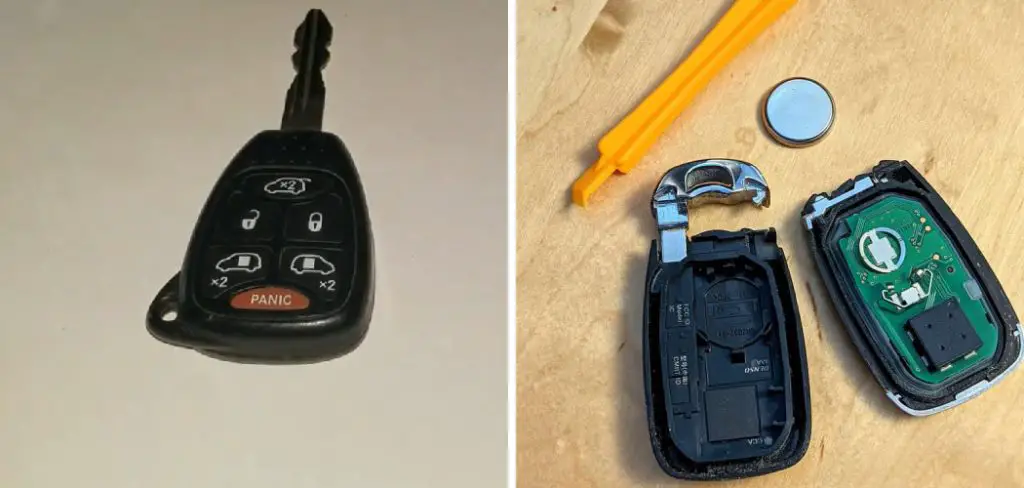
The signs of a dying key fob battery are unmistakable: reduced range, delayed response, or complete failure to unlock your doors. Instead of being stranded outside your vehicle or dealing with the inconvenience of using your physical key, you can restore full functionality with a quick battery swap. This guide walks you through each step of the replacement process, ensuring you can maintain your keyless entry system’s reliability without any guesswork or frustration.
Why Replacing Your Key Fob Battery Matters
Maintaining your Chrysler 300’s keyless entry system through regular battery replacement prevents unexpected lockouts and ensures consistent remote access to your vehicle. A failing battery can leave you unable to unlock doors, activate the alarm system, or use remote start features, creating inconvenience and potential safety concerns.
Additionally, replacing the battery yourself saves significant money compared to dealership service charges while giving you the confidence to handle basic car maintenance tasks. Understanding this simple repair helps you stay prepared and avoid the frustration of a completely dead remote when you need it most.
Step-by-Step Guide: How to Change Key Fob Battery Chrysler 300
Step 1: Gather Your Tools and New Battery
Before starting the battery replacement process, collect all necessary materials to ensure a smooth and efficient repair. You’ll need a new CR2032 lithium battery, which is the standard power source for most Chrysler 300 key fobs. Purchase this battery from any electronics store, pharmacy, or automotive retailer, ensuring it’s fresh and properly packaged.
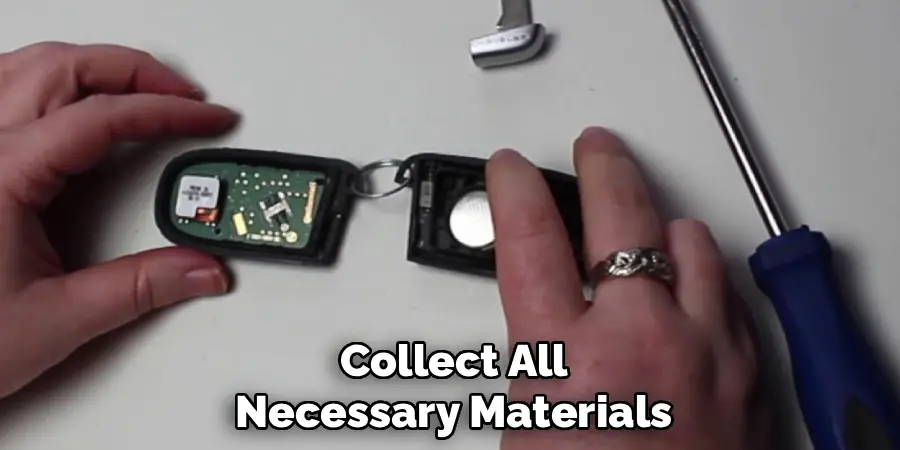
Additionally, gather a small flathead screwdriver or a thin plastic prying tool to help separate the key fob housing safely. Having these items ready prevents interruptions during the replacement process and reduces the risk of losing small components while searching for tools.
Step 2: Locate the Key Fob Release Mechanism
Examine your Chrysler 300 key fob carefully to identify the release mechanism that allows access to the internal battery compartment. Most models feature a small button or sliding mechanism along the side edge of the remote control that releases the physical key blade.
Look for a small indentation, button, or sliding tab that moves when pressed or pushed. This release mechanism is typically located on the back or side of the fob and may be marked with a small arrow or key symbol. Understanding your specific model’s design is crucial before attempting to open the housing, as forcing the wrong area could damage the delicate internal components.
Step 3: Remove the Physical Key Blade
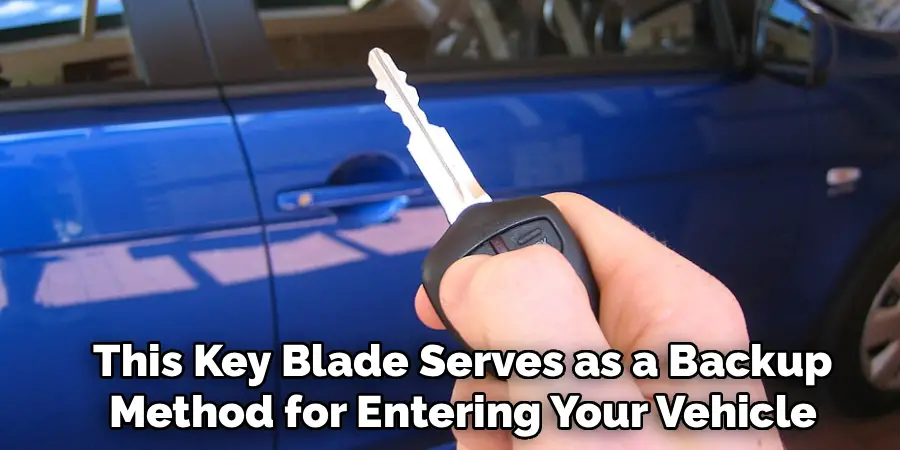
Press or slide the release mechanism you identified in the previous step to extract the physical metal key from inside the fob housing. This key blade serves as a backup method for entering your vehicle if the electronic system fails. Gently pull the metal key straight out, being careful not to bend or damage it during removal.
Set this key aside in a safe location where you won’t lose it during the battery replacement process. Removing the key blade is essential because it often reveals access points or screws that allow you to separate the two halves of the key fob housing safely.
Step 4: Open the Key Fob Housing Carefully
With the physical key removed, you can now access the internal battery compartment by separating the two halves of the fob housing. Look for a small notch, seam, or visible separation line where you can insert your flathead screwdriver or prying tool. Gently twist or pry at this point, applying steady but gentle pressure to avoid cracking the plastic housing.
Some models have small screws that need removal, while others simply snap apart with careful prying. Work slowly and patiently, as rushing this step can result in broken clips or damaged housing that affects the fob’s water resistance and durability.
Step 5: Identify and Remove the Old Battery
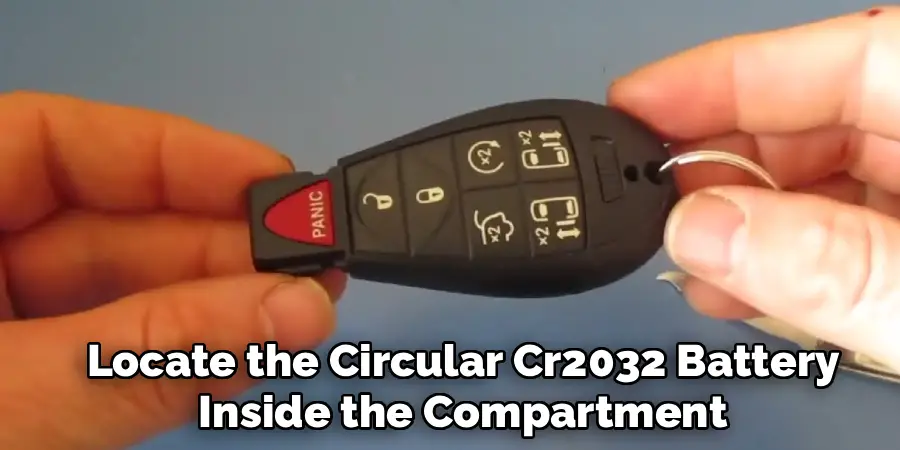
Once the housing is open, locate the circular CR2032 battery inside the compartment, noting its orientation before removal. The battery typically sits in a small plastic holder or metal clip that keeps it securely in place during normal use. Observe which side faces up (usually the side with text and numbers) and which side faces down, as proper orientation is crucial for the new battery to function correctly.
Carefully lift out the old battery using your fingernails or a small tool, being gentle to avoid damaging the contacts or surrounding components. How to change key fob battery chrysler 300 requires attention to these orientation details for successful completion.
Step 6: Install the New CR2032 Battery
Take your new CR2032 battery and position it in the same orientation as the old one, ensuring the positive side faces the correct direction according to your observations from the previous step. The battery should sit flush in its holder without forcing or excessive pressure. Gently press it into place until it’s securely seated in the contacts, making sure it doesn’t rock or move freely within the compartment.
Proper contact between the battery terminals and the fob’s internal circuitry is essential for reliable operation. Check that no debris or corrosion interferes with the connection points before proceeding to reassembly.
Step 7: Test the Key Fob Before Final Assembly
Before closing the housing completely, perform a quick functionality test to ensure the new battery is working properly and making good electrical contact. Hold the two halves of the housing together temporarily and press one of the buttons on the remote control.
You should see the LED indicator light illuminate, confirming that the new battery is providing power to the internal circuits. If the light doesn’t appear, check the battery orientation and ensure it’s seated properly in the contacts. This testing step prevents the frustration of discovering problems after fully reassembling the fob.
Step 8: Reassemble the Key Fob Housing
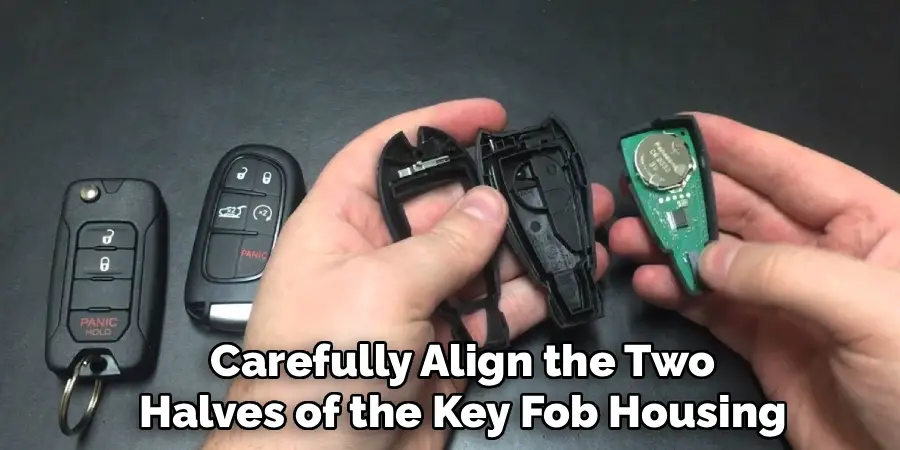
Carefully align the two halves of the key fob housing, ensuring all internal components are properly positioned before pressing them together. Make sure no wires or circuits are pinched between the housing halves, as this could damage the internal electronics or prevent proper closure.
Press firmly around the edges until you hear or feel the clips snap back into place, creating a secure seal that protects the internal components from moisture and debris. The housing should close completely without gaps or uneven edges that might indicate improper alignment or trapped components.
Step 9: Reinsert the Physical Key and Final Testing
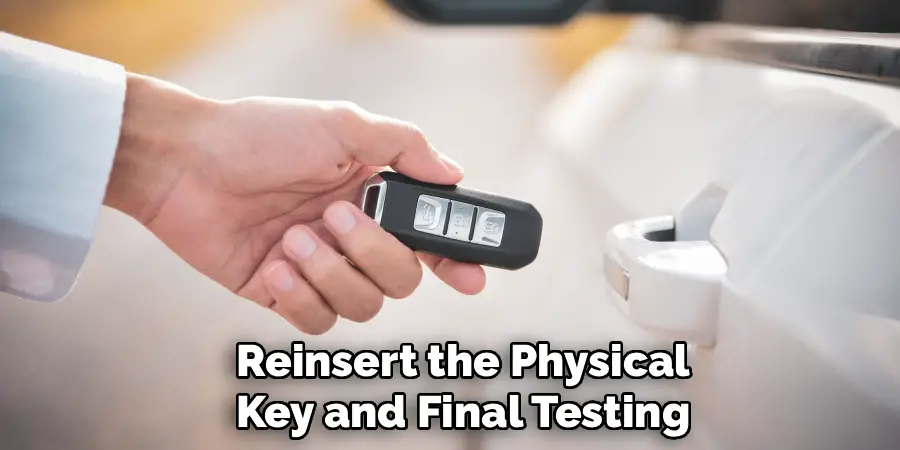
Slide the physical metal key blade back into its slot in the key fob until it clicks securely into place, ensuring it’s fully seated and won’t fall out during normal use. Perform a comprehensive test of all fob functions, including lock, unlock, panic alarm, and remote start if equipped.
Stand at various distances from your vehicle to confirm the remote control’s range has returned to normal with the fresh battery. How to change key fob battery chrysler 300 is complete when all functions work reliably at the expected range, typically 30-50 feet from your vehicle depending on environmental conditions.
Benefits of Keyless Entry
Keyless entry systems offer a range of benefits that enhance convenience, security, and overall user experience. One of the primary advantages is the ease of access they provide, allowing you to lock and unlock your vehicle without physically inserting a key, which is particularly useful when your hands are full.
Additionally, keyless entry systems often come with enhanced security features, such as encrypted signals, which make it harder for potential thieves to gain unauthorized access. Remote start functionality, often integrated into keyless systems, is another valuable benefit, enabling drivers to start their vehicle from a distance to preheat or cool the interior before getting in. These modern systems save time, improve safety, and elevate the convenience of daily vehicle use.
Frequently Asked Questions (FAQ)
How Long Does a Key Fob Battery Typically Last?
Most CR2032 batteries in Chrysler 300 key fobs last between 3-5 years under normal usage conditions. Heavy use of remote start, frequent button presses, and extreme temperatures can reduce battery life. Signs of a failing battery include reduced range, delayed response, or intermittent function.
Some newer vehicles display low battery warnings on the dashboard, but older models require you to notice performance changes to determine when replacement is needed.
Can I Use Any CR2032 Battery for My Key Fob?
While most CR2032 batteries are functionally identical, quality matters for reliable performance and longevity. Name-brand batteries from reputable manufacturers typically last longer and provide more consistent power output than generic alternatives. Avoid extremely cheap batteries that may leak or fail prematurely. Lithium CR2032 batteries are preferred over alkaline versions because they:
- Perform better in temperature extremes
- Have longer shelf life
- Provide more stable voltage output
What Should I Do If the Key Fob Still Doesn’t Work After Battery Replacement?
If your key fob remains non-functional after installing a new battery, several issues might be present. First, double-check the battery orientation and ensure it’s making proper contact with the terminals. Clean any corrosion from the battery contacts using a cotton swab and rubbing alcohol.
If problems persist, the internal circuits may be damaged, or the fob might need reprogramming to your vehicle’s security system, which typically requires dealership service or specialized equipment.
How Do I Know Which Battery Type My Key Fob Uses?
Most Chrysler 300 key fobs use CR2032 batteries, but you can verify this by checking the old battery for printed specifications or consulting your owner’s manual. The battery size is typically printed on the battery itself, appearing as “CR2032” along with voltage information. If you’re unsure, take the old battery to an electronics or automotive store where staff can help identify the correct replacement. Using the wrong battery size can damage the fob or prevent proper function.
Is It Normal for the Key Fob to Need Reprogramming After Battery Replacement?
Most Chrysler 300 key fobs retain their programming when you replace the battery, so reprogramming is usually unnecessary. However, if the battery was completely dead for an extended period, some models might lose their programmed connection to your vehicle’s security system. If the fob doesn’t work after battery replacement and you’ve verified proper installation, consult your owner’s manual for programming instructions or contact your dealership for assistance with the synchronization process.
Conclusion
Successfully learning how to change key fob battery chrysler 300 saves you time and money while maintaining your vehicle’s convenient keyless entry system. This straightforward maintenance task requires only basic tools and takes just a few minutes to complete, making it an ideal DIY project for any car owner.
Regular battery maintenance ensures your remote control remains dependable when you need it most. Don’t wait until your key fob completely fails – replace the battery at the first signs of reduced performance. With this knowledge, you can confidently handle this common maintenance task and keep your Chrysler 300’s keyless entry system working perfectly for years to come.

