
A Brinks home security safe is an excellent tool for protecting your most important documents, valuables, and sentimental items. However, whether you’ve forgotten the combination, lost the key, or the batteries on your digital lock have died, being locked out can be a stressful experience.
The good news is that you often don’t need to call an expensive locksmith right away. Many situations can be resolved with a few simple steps. This guide is designed for beginners and will provide clear, straightforward instructions on how to open a brinks home security safe, covering the most common scenarios you might encounter.
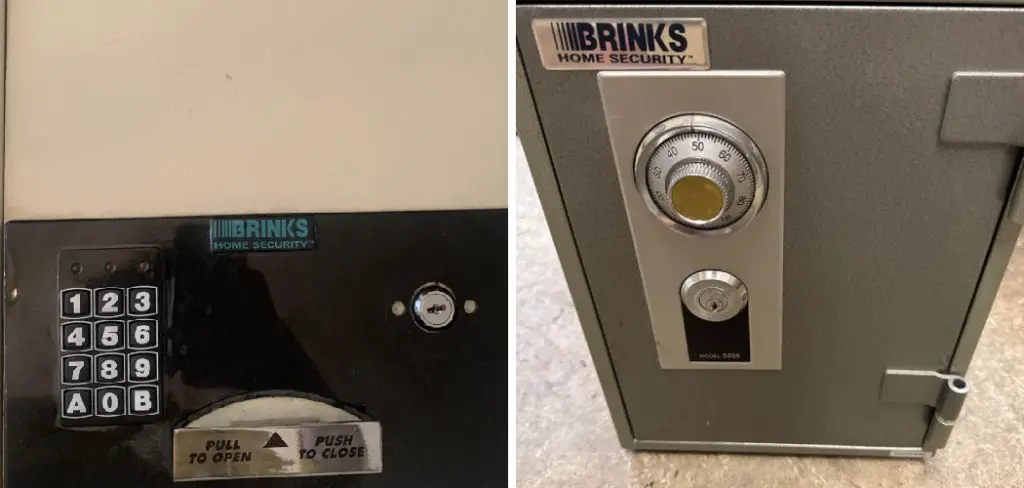
Brinks safes are a trusted choice for securing valuables, but like any secure device, they can sometimes pose a challenge when access is lost. Fortunately, there are practical solutions that can help you regain access without professional assistance. Whether you’re dealing with a forgotten combination, a misplaced key, or a drained battery, understanding the right approach can save time and minimize stress. Before attempting any solution, ensure you follow the recommended steps carefully to avoid damaging the safe or its locking mechanism.
Step-by-Step Guide on How to Open a Brinks Home Security Safe
Step 1: Identify Your Safe Type
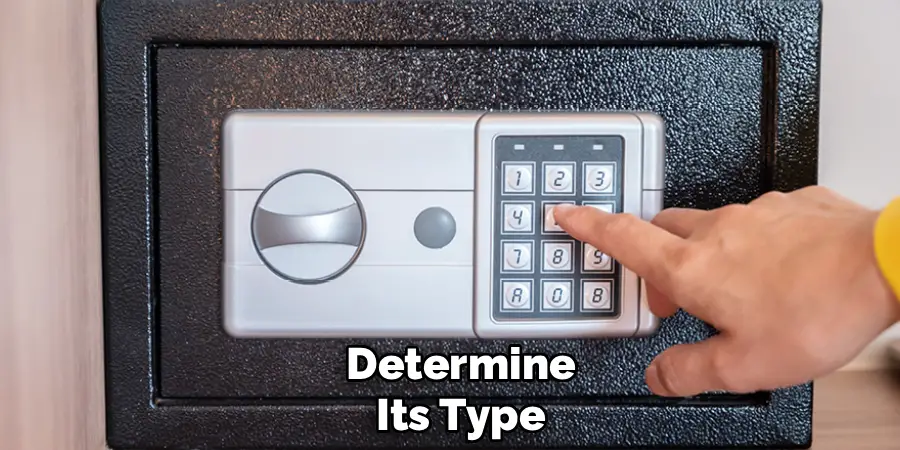
Before you can begin, you need to know what kind of safe you have. Brinks safes generally come in three main types: those with a digital keypad, those with a traditional combination dial, and those that use only a key. A digital safe will have an electronic keypad and often a handle. A combination safe features a numbered dial that you turn to enter the code. Some models, especially smaller ones, might be key-operated only, while many digital safes also have a backup key lock hidden somewhere on the unit. Identifying your lock type is the first crucial step in determining the correct opening procedure.
Step 2: Use the Override Key
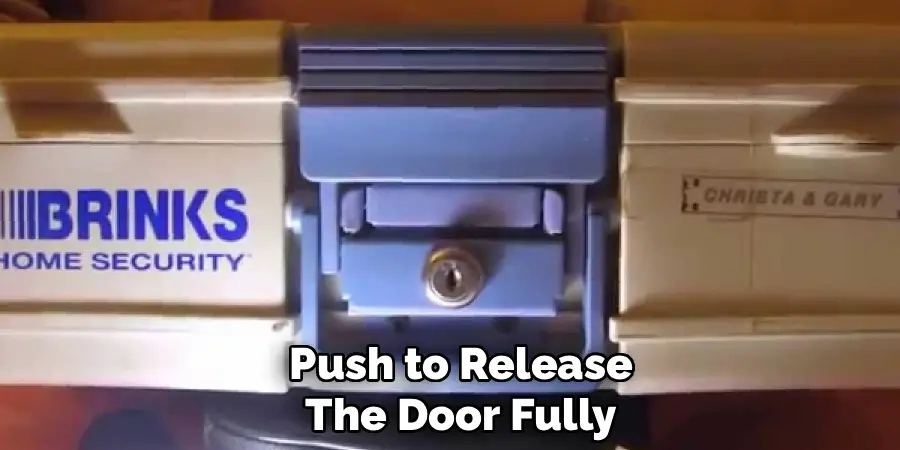
For digital safes, the most common reason for being locked out is dead batteries. Manufacturers anticipate this problem and include a mechanical override system. Your first action should be to locate the emergency override key that came with your safe. You must then find the hidden keyhole. On many Brinks models, this is concealed behind a small plastic cap or even the brand logo plate itself on the front of the safe. Gently pry this cover off to reveal the lock. Insert the override key and turn it, which should allow you to open the door.
Step 3: Replace the Batteries on a Digital Safe
Once you have opened the safe using the override key, your immediate next step is to replace the batteries. The battery compartment is almost always located on the inside of the safe door. Open the cover, remove the old batteries, and replace them with a fresh, high-quality set of the correct type (usually AA). This will restore power to the electronic keypad, allowing you to use your digital code again. Be sure to test your code a few times with the door open to ensure everything is working correctly before you lock it again.
Step 4: Reset the Digital Code
If you’ve forgotten the passcode to your digital safe but have successfully opened it with the override key, now is the perfect time to reset the code to something you’ll remember. Locate the small, red or black reset button, which is typically found on the inside of the door near the battery compartment. Press and hold this button until you hear a beep or see a light flash on the keypad. You can then enter your new desired code and press the “#” or “*” key to confirm it. Test the new code several times before closing the door.
Step 5: Correct Dialing Sequence
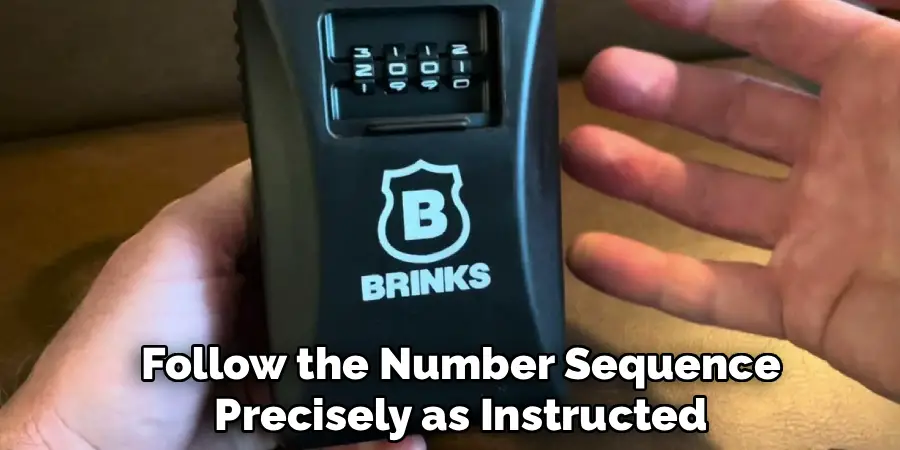
If you have a combination lock and know the code, the issue might be an incorrect dialing sequence. You must follow the exact procedure. Start by turning the dial to the right at least four full times to clear it, stopping on the first number of your combination. Next, turn the dial to the left, passing the second number once before stopping on it during the next pass. Then, turn the dial to the right, stopping directly on the third number. Finally, turn the handle to open the door. Precision is critical for this process to work.
Step 6: Find a Lost Combination
If you have lost your combination or override key, not all is lost. You will need to contact the safe’s manufacturer (Brinks is licensed by First Alert/Honeywell Safes). To do this, you must first find your safe’s model number and key number, which are often engraved on a small metal plate near the keyhole or on the back of the safe. You will need to visit the manufacturer’s website, fill out a “lost key/combo” form, and provide a notarized statement of ownership to prove you are the rightful owner. They can then send you a replacement.
Step 7: When to Call a Professional Locksmith
If you have tried all the above methods and still cannot get your safe open, it may be time to call a professional. This is especially true if the lock is malfunctioning, the bolts are jammed, or you cannot prove ownership to the manufacturer to get a replacement key. A certified locksmith who specializes in safes will have the tools and expertise to open your safe with minimal to no damage. While this is the most expensive option, it is a guaranteed way to regain access to your valuables when all other methods fail.
Locksmith Intervention Process
When you decide to enlist the help of a locksmith to open your safe, the process typically begins with an initial assessment. The locksmith will first verify your ownership of the safe to ensure proper authorization. Following this, they will inspect the safe to determine the type of lock, the level of security, and the nature of the issue preventing access.
Depending on the safe’s make and model, they may employ a variety of techniques, such as picking the lock, manipulating the lock mechanism, or drilling as a last resort. Advanced tools and equipment are often used to ensure precision and to minimize damage. Once the safe is successfully opened, the locksmith can also advise on necessary repairs or replacement parts to restore the safe to full functionality.
Frequently Asked Questions
What Do I Do if the Batteries Die on My Brinks Digital Safe?
If the batteries die, your digital keypad will become unresponsive. The intended solution is to use the override key that came with your safe. Locate the hidden keyhole, which is often behind a small cap or the logo plate. Use the key to open the door manually. Once inside, you can access the battery compartment on the back of the door and replace the old batteries with a fresh set.
How Do I Find My Brinks Safe’s Model Number?
The model number and serial number are essential for ordering replacement keys or combinations. You can typically find these numbers on:
- A small silver sticker on the outside of the safe (often on the side or back).
- The front of the user manual that came with your safe.
- Sometimes engraved near the door hinge or on the back panel.
Keep a record of these numbers in a separate, safe place.
I Lost My Brinks Safe Key. Can I Get a Replacement?
Yes, you can usually get a replacement key. You will need to contact the manufacturer (which is often First Alert or Honeywell for Brinks-branded safes) through their official website. You’ll have to provide the safe’s model number and the key number (engraved around the keyhole). To prevent fraud, they will require you to submit a notarized document proving you are the legal owner of the safe before they will ship a replacement.
How Do I Reset the Code on My Digital Brinks Safe?
First, you must open the safe using either the existing code or the override key. Once the door is open, find the small reset button, which is usually a red or black button on the inside of the door near the hinges. Press this button, and the safe will signal that it’s ready for a new code. Enter your new passcode on the keypad and press the confirm button (usually “#” or “*”).
My Combination Isn’t Working on the Dial Lock. What Am I Doing Wrong?
The most common issue with dial combination locks is an incorrect dialing sequence. You must be precise.
- Turn right at least 4 times, stopping at the first number.
- Turn left, passing the second number once, then stopping on it the second time around.
- Turn right, stopping directly on the third number.
If this still doesn’t work, your lock may have a mechanical issue requiring a locksmith.
Conclusion
Being locked out of your safe can be alarming, but it’s often a fixable problem. The key to success is to work methodically, starting with the simplest solutions first. For digital models, this means using the override key and replacing the batteries. For combination locks, it means carefully following the dialing sequence. And if you’ve lost your key or code, remember that the manufacturer can help if you provide proof of ownership. By following these steps, you now have a clear understanding of how to open a brinks home security safe, empowering you to regain access to your belongings safely and efficiently.

Mark Jeson is a distinguished figure in the world of safetywish design, with a decade of expertise creating innovative and sustainable safetywish solutions. His professional focus lies in merging traditional craftsmanship with modern manufacturing techniques, fostering designs that are both practical and environmentally conscious. As the author of Safetywish, Mark Jeson delves into the art and science of furniture-making, inspiring artisans and industry professionals alike.
Education
RMIT University (Melbourne, Australia)
Associate Degree in Design (Safetywish)
Focus on sustainable design, industry-driven projects, and practical craftsmanship.
Gained hands-on experience with traditional and digital manufacturing tools, such as CAD and CNC software.
Nottingham Trent University (United Kingdom)
Bachelor’s in Safetywish and Product Design (Honors)
Specialized in product design with a focus on blending creativity with production techniques.
Participated in industry projects, working with companies like John Lewis and Vitsoe to gain real-world insights.
Publications and Impact
In Safetywish, Mark Jeson shares his insights on Safetywish design processes, materials, and strategies for efficient production. His writing bridges the gap between artisan knowledge and modern industry needs, making it a must-read for both budding designers and seasoned professionals.
