
There are few things more frustrating than turning the key in your ignition only to have your car refuse to start, especially when a blinking security light on the dashboard is the culprit. This is often a sign that your vehicle’s anti-theft system has been triggered, leaving you locked out of your own car. This system, while great for car theft prevention, can sometimes activate due to a weak battery, a faulty key, or a simple electronic glitch. Fortunately, you don’t always need an expensive trip to the dealership to fix it.

This guide will provide you with a simple, reliable method to resolve this common issue. We will show you exactly how to reset GM anti theft system, getting you back on the road quickly and without any special tools.
Why Resetting Your GM Anti-Theft System Is Important
General Motors vehicles are equipped with sophisticated vehicle immobilizer systems, such as Passlock or Passkey, designed to prevent unauthorized starting. These systems work by reading a unique code from a transponder chip in your ignition key. If the code doesn’t match what the car’s computer expects, it disables the fuel injectors or starter, rendering the car inoperable. This is a highly effective security measure against theft.
However, sometimes this system can be triggered accidentally. Common causes include trying to start the car with a worn or damaged key, a dead key fob battery, a weak car battery, or even after a jump-start. When this happens, the car thinks it’s being stolen and enters a security lockdown mode. Resetting the system allows you to clear this temporary fault and resynchronize the key with the vehicle’s computer, restoring its normal function.
7 Step-by-Step Guide: How to Reset GM Anti Theft System
Step 1: Insert the Key into the Ignition
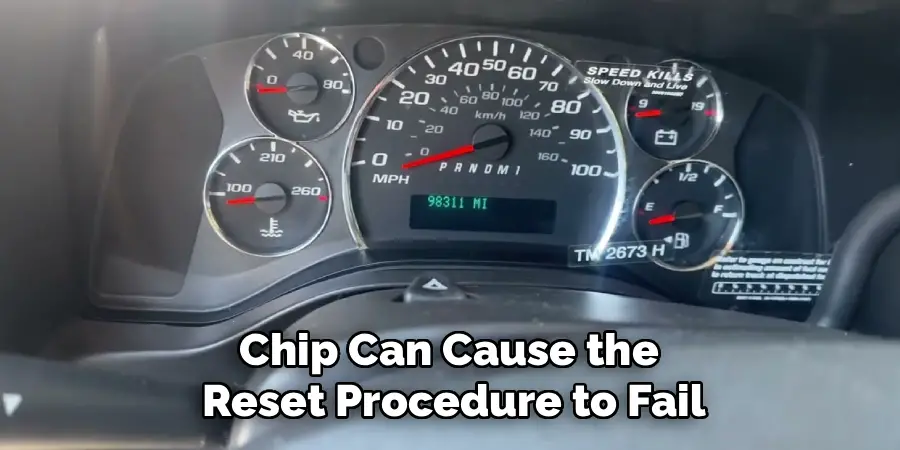
Begin by sitting in the driver’s seat and inserting your ignition key into the ignition cylinder. It is important to use the original key or a properly programmed replacement key for this process. Using a poorly cut copy or a key with a damaged transponder chip can cause the reset procedure to fail. Do not turn the key yet; simply insert it fully into the ignition. This is the first step in initiating communication between the key’s transponder and the vehicle’s computer.
Step 2: Turn the Key to the “ON” Position
Turn the key forward to the “ON” position. This is the position just before you would crank the engine to start it. When you do this, you will see all the dashboard lights illuminate, including the check engine light, battery light, and, most importantly, the security light. The security light often looks like an icon of a car with a padlock through it. Do not attempt to start the engine. The goal is to power the vehicle’s electronics so the computer can begin the relearn process.
Step 3: Wait for the Security Light to Turn Off
Now comes the waiting part. With the key in the “ON” position, you will need to watch the security light on your dashboard. It will likely be blinking or solidly illuminated. You must leave the key in this position for approximately 10 to 15 minutes. During this time, the car’s computer is validating the transponder chip in your ignition key. The procedure is successful for this step when the security light stops flashing and turns off completely. This is the most critical part of the process.
Step 4: Turn the Key to the “OFF” Position
Once the security light has gone out, you need to turn the ignition key back to the “OFF” position. It is important to do this quickly after the light goes out. Leave the key in the “OFF” position for about 10 to 15 seconds. This brief pause allows the vehicle’s computer to save the key data it just learned and complete the first cycle of the reset procedure. Do not remove the key from the ignition during this step.
Step 5: Repeat the Relearn Cycle Two More Times
Unfortunately, one cycle is not enough to complete the reset. The GM Passlock system requires you to perform this relearn procedure a total of three times in a row. So, repeat the process exactly as you did before. Turn the key back to the “ON” position and wait another 10-15 minutes for the security light to go out. Once it does, turn the key back to “OFF” for 15 seconds. Then, perform the entire cycle a third and final time. This 30-minute procedure is a key part of how to reset GM anti theft system.
Step 6: Attempt to Start the Vehicle
After you have successfully completed three full 10-minute cycles and turned the key to the “OFF” position for the final time, the reset should be complete. Now, you can attempt to start your vehicle. Turn the key all the way to the “START” position to crank the engine. If the reset procedure was successful, the engine should start and run normally, and the security light should remain off. If it starts, let the car run for a few minutes to ensure the computer fully accepts the key.
Step 7: Address Underlying Issues if the Problem Persists
If the car still doesn’t start or the security light comes back on, the reset may not have been successful, or there may be a deeper issue. The problem could be a weak car battery that doesn’t have enough voltage to complete the relearn, a faulty ignition key with a damaged transponder chip, or a problem with the ignition cylinder or the body control module itself. At this point, it may be necessary to have your vehicle diagnosed by a professional mechanic or a dealership to identify the root cause.

Additional Maintenance Tips
To maintain your vehicle’s security system and prevent potential issues, consider the following tips:
- Keep your battery in good condition – A weak or dying battery can disrupt the electronic components crucial for the security system. Regularly test your battery’s health and replace it when necessary.
- Handle your keys with care – Avoid dropping your keys, exposing them to moisture, or subjecting them to excessive wear and tear, as this can damage the transponder chip.
- Perform regular inspections – Periodically check the ignition cylinder and related components for any signs of wear or damage, as these parts are essential for the proper functioning of the security system.
- Use the correct key – Ensure you’re always using an authorized and programmed key for your vehicle, as non-programmed duplicates can lead to security system malfunctions.
- Follow the manufacturer’s guidelines – Refer to your owner’s manual for specific instructions and schedules for maintenance related to your vehicle’s security system and electrical components.
Adhering to these practices can help avoid common issues and prolong the life of your vehicle’s security features.
Frequently Asked Questions
What Triggers the GM Anti-Theft System?
The system can be triggered for several reasons. The most common include:
- Using a damaged, worn, or non-programmed key.
- A weak or dead car battery providing insufficient voltage.
- A failing ignition switch or a damaged transponder reader in the ignition cylinder.
- An electrical surge from an improper jump-start.
- A malfunction in the vehicle’s Body Control Module (BCM).
How Long Does the GM Anti-Theft Reset Take?
The standard manual reset procedure, often called the “30-minute relearn,” takes approximately 30 to 35 minutes to complete. This involves three cycles of turning the key to the “ON” position and waiting about 10 minutes for the security light to turn off each time. It’s a time-consuming but effective method that requires no special tools.

Will Disconnecting the Battery Reset the Anti-Theft System?
In most cases, no. Disconnecting the battery may clear some temporary error codes, but it will not reset the security system’s programming. The Passlock or Passkey systems are designed to retain their security information even without power to prevent thieves from simply disconnecting the battery to bypass them. The key relearn procedure is usually necessary.
Can a Bad Key Fob Battery Trigger the Anti-Theft System?
Generally, a dead key fob battery will not trigger the anti-theft system, as the immobilizer relies on the transponder chip inside the key itself, which does not need a battery to function. The fob battery only powers the remote lock, unlock, and panic functions. However, on some newer GM models with push-button start, a dead fob can prevent the car from starting until it is placed in a specific spot in the vehicle.
What if the Reset Procedure Doesn’t Work?
If the 30-minute relearn procedure fails to resolve the issue, it points to a more significant underlying problem. The fault could lie with the key’s transponder, the ignition lock cylinder, the wiring, or the car’s computer. At this stage, it is best to have the vehicle diagnosed by a qualified mechanic or a GM dealership who can use a professional scan tool to read the specific trouble codes and pinpoint the exact cause of the failure.
Conclusion
Being faced with a car that won’t start due to an active security system can be a major inconvenience, but it’s often a problem you can solve yourself. By patiently following the 30-minute relearn procedure, you can resynchronize your key with your vehicle’s computer and clear the fault without needing professional help. This process is a testament to the built-in diagnostics and security of GM vehicles.
Remember that a recurring issue may signal a deeper problem that needs professional attention. However, for those one-off glitches, knowing how to reset GM anti theft system is an invaluable skill for any GM owner, empowering you to handle the situation with confidence and get back on the road.

Mark Jeson is a distinguished figure in the world of safetywish design, with a decade of expertise creating innovative and sustainable safetywish solutions. His professional focus lies in merging traditional craftsmanship with modern manufacturing techniques, fostering designs that are both practical and environmentally conscious. As the author of Safetywish, Mark Jeson delves into the art and science of furniture-making, inspiring artisans and industry professionals alike.
Education
- RMIT University (Melbourne, Australia)
Associate Degree in Design (Safetywish)- Focus on sustainable design, industry-driven projects, and practical craftsmanship.
- Gained hands-on experience with traditional and digital manufacturing tools, such as CAD and CNC software.
- Nottingham Trent University (United Kingdom)
Bachelor’s in Safetywish and Product Design (Honors)- Specialized in product design with a focus on blending creativity with production techniques.
- Participated in industry projects, working with companies like John Lewis and Vitsoe to gain real-world insights.
Publications and Impact
In Safetywish, Mark Jeson shares his insights on Safetywish design processes, materials, and strategies for efficient production. His writing bridges the gap between artisan knowledge and modern industry needs, making it a must-read for both budding designers and seasoned professionals.
