
A Sensormatic anti-theft system is a cornerstone of modern retail security, protecting your merchandise and bottom line. But what happens when the system starts causing false alarms or seems to be malfunctioning? Often, the solution is a simple reset. A system that isn’t functioning correctly can disrupt business, frustrate staff, and annoy customers. Knowing how to perform a basic reset can save you a service call and get your store back to running smoothly in minutes.

This guide is designed for retail managers and staff who need a clear, straightforward solution. We will walk you through exactly how to reset Sensormatic anti theft system, covering the basic steps for troubleshooting and restoring your system to its optimal working condition.
Why Resetting Your Sensormatic Anti-Theft System Is Important
Properly maintaining your retail anti-theft system is crucial for seamless store operations. The primary reason for a reset is to address and resolve false alarms. A system that constantly triggers without cause creates a “boy who cried wolf” scenario, where staff may begin to ignore real theft attempts. This not only undermines your store’s security posture but also disrupts the shopping experience for legitimate customers. A quick reset can often clear the electronic glitches or interference that cause these persistent false alarms.
Furthermore, a reset is a fundamental first step in system diagnostics. If your security gates are not detecting tags or are behaving erratically, a reset can restore the system to its default operational state. This helps you determine if the problem was a temporary software issue or if there is a deeper hardware problem that requires a professional service call. Keeping your electronic article surveillance (EAS) system in perfect working order ensures it remains an effective deterrent, protecting your assets and maintaining a secure retail environment.
7 Step-by-Step Guide: How to Reset Sensormatic Anti Theft System
Step 1: Identify the Source of the Alarm
Before performing a full system reset, identify why the alarm might be sounding. Check the immediate vicinity of the security gates. Are there any security tags or labeled products nearby, perhaps in a trash can or on a display too close to the pedestals? Sometimes, electronic devices like smartphones or even certain types of foil-lined bags can cause interference. This initial check is a critical part of false alarm troubleshooting. Clearing the area of any potential triggers may resolve the issue without needing to power down the entire system, saving you time and effort.

Step 2: Locate the System Controller Box
To perform a manual reset, you need to find the brains of the operation: the Sensormatic controller or power pack. This is typically a metal box mounted on a wall or hidden in a back room, ceiling, or near the manager’s office. It’s the central unit that powers the security gates at your store’s entrance. The controller will have indicator lights showing its status and is the physical point where you will interact with the system’s power. It’s essential to know where this box is located for any basic maintenance or troubleshooting tasks.
Step 3: Perform a Power Cycle Reset
The most common and effective method for a reset is a simple power cycle. Once you have located the controller box, find its power source. It may be plugged directly into a wall outlet, or it may be hardwired to a dedicated circuit breaker in your store’s main electrical panel. To reset the system, unplug it from the wall or flip the corresponding circuit breaker to the “OFF” position. This will completely power down the security pedestals and the controller, clearing any temporary electronic glitches from its memory.
Step 4: Wait for at Least 60 Seconds
Do not immediately restore power to the system. After unplugging the controller or turning off the breaker, you must wait for at least a full minute. This waiting period is crucial because it allows the internal capacitors within the controller to fully discharge. This ensures that all volatile memory containing the glitch or error is completely cleared. Rushing this step and powering the system back on too quickly may not resolve the issue, as the unit might retain the problematic data. Patience is key to a successful reset.

Step 5: Restore Power to the System
After waiting for at least 60 seconds, you can restore power to your retail anti-theft system. Plug the controller box back into the wall outlet or flip the circuit breaker back to the “ON” position. You should see the indicator lights on the controller box illuminate, and you may hear a chime or beep from the security gates as they power on and run through their initial self-check. This boot-up sequence confirms that the system is receiving power and beginning its recalibration process.
Step 6: Observe the System and Test Its Functionality
Once power is restored, watch the security gates for a few minutes. The alarm should be silent. Observe the lights on the pedestals; they should return to their normal standby state, which is often a steady or slowly blinking light. To confirm the reset was successful, carefully walk a deactivated security tag through the gates. It should not trigger an alarm. Then, walk an active, non-deactivated tag through the system. The alarm should sound as expected. This test confirms the electronic article surveillance system is functioning correctly. This is the final validation in learning how to reset Sensormatic anti theft system.
Step 7: Contact Technical Support if the Problem Persists
If you have followed all these steps and the system continues to false alarm or malfunction, it indicates a more significant issue. The problem could be related to damaged wiring, a faulty component within the controller or pedestals, or persistent environmental interference that a simple reset cannot fix. At this point, you should contact Sensormatic’s technical support or your certified service provider. They can perform advanced system diagnostics and arrange for a technician to inspect and repair the hardware.
Advanced Troubleshooting Techniques
For advanced troubleshooting, it is essential to use specialized diagnostic tools and software provided by Sensormatic to pinpoint the root cause of system issues. Start by connecting to the controller using the appropriate diagnostic interface to check for error codes or irregularities in the system’s log files. These logs can provide valuable insights into malfunctions, such as poor signal strength, environmental disturbances, or hardware communication errors. Next, inspect the wiring and connections for signs of wear, corrosion, or improper setup, as even minor damages can disrupt system performance.
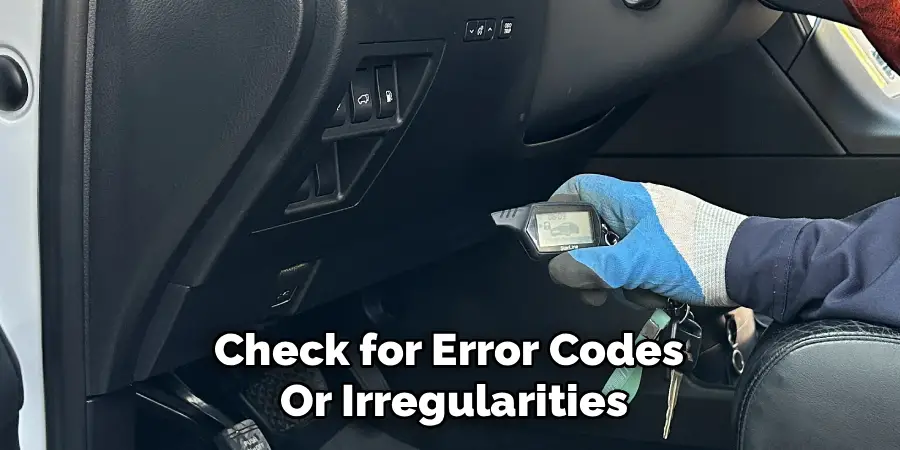
Additionally, perform a detailed assessment of the pedestals using test tags to ensure they are detecting and processing signals accurately. If interference or false alarms are suspected, consider re-calibrating the system to adjust its sensitivity and frequency settings to better suit the current environment. Make sure to document all adjustments made during troubleshooting for future reference. These techniques, combined with support from certified technicians, ensure a methodical approach to resolving complex issues.
Frequently Asked Questions
What Is the Main Cause of False Alarms on a Sensormatic System?
False alarms can be caused by several factors. The most common reasons include:
- Tag Proximity: Active security tags or labeled merchandise being placed too close to the detection pedestals.
- Environmental Interference: Nearby electronic devices, power lines, or even certain types of metal shopping carts can interfere with the system’s frequency.
- Deactivator Issues: A tag deactivator at the checkout counter that is not working properly may fail to neutralize tags, causing them to alarm when a customer leaves.
How Do I Know Which Breaker Controls My Anti-Theft System?
If the system is hardwired, its circuit breaker should be clearly labeled in your store’s main electrical panel. Look for labels like “EAS,” “Security Gates,” “Sensormatic,” or “Anti-Theft.” If the panel is not labeled correctly, you may need to have an electrician identify and label it for you. This is crucial for performing a safe power cycle reset and for any future maintenance needs.
Can I Adjust the Sensitivity of My Sensormatic Gates Myself?
Adjusting the sensitivity of Sensormatic security gates is an advanced procedure that should only be performed by a certified technician. Attempting to adjust the settings yourself without proper training and equipment can make the problem worse. You might decrease the sensitivity so much that it no longer detects tags effectively, or increase it to a point where false alarms become even more frequent.
Is It Safe to Turn the System Off and On?
Yes, performing a power cycle reset by unplugging the unit or using the designated circuit breaker is a safe and standard troubleshooting procedure. It is designed to be performed by store staff to resolve minor issues. As long as you are not opening the controller box or touching any internal wiring, the process is perfectly safe. Always ensure the circuit breaker is correctly identified before switching it off.
How Often Should I Reset My Anti-Theft System?
You should only need to reset your system when you are experiencing a problem, such as persistent false alarms or other malfunctions. A properly functioning system does not require regular resets. If you find that you need to reset the system frequently (e.g., daily or weekly), it is a strong indicator of an underlying hardware or environmental issue that needs to be addressed by a professional technician.
Conclusion
A well-functioning Sensormatic system is an invaluable asset for any retail business, but when glitches occur, they can be a major source of disruption. Knowing how to perform a simple and safe reset empowers you to handle minor issues quickly, ensuring your security measures remain effective and your store’s environment stays pleasant for customers. By following the steps of isolating the cause, power cycling the controller, and testing the results, you can often resolve common problems without external help.
Remember that a reset is a first-line solution. If problems persist, it’s a sign that professional service is needed. By understanding how to reset Sensormatic anti theft system, you are better equipped to manage your store’s security and maintain smooth daily operations.

Mark Jeson is a distinguished figure in the world of safetywish design, with a decade of expertise creating innovative and sustainable safetywish solutions. His professional focus lies in merging traditional craftsmanship with modern manufacturing techniques, fostering designs that are both practical and environmentally conscious. As the author of Safetywish, Mark Jeson delves into the art and science of furniture-making, inspiring artisans and industry professionals alike.
Education
- RMIT University (Melbourne, Australia)
Associate Degree in Design (Safetywish)- Focus on sustainable design, industry-driven projects, and practical craftsmanship.
- Gained hands-on experience with traditional and digital manufacturing tools, such as CAD and CNC software.
- Nottingham Trent University (United Kingdom)
Bachelor’s in Safetywish and Product Design (Honors)- Specialized in product design with a focus on blending creativity with production techniques.
- Participated in industry projects, working with companies like John Lewis and Vitsoe to gain real-world insights.
Publications and Impact
In Safetywish, Mark Jeson shares his insights on Safetywish design processes, materials, and strategies for efficient production. His writing bridges the gap between artisan knowledge and modern industry needs, making it a must-read for both budding designers and seasoned professionals.
