
An ADT key fob is a convenient tool that allows you to remotely control your security system with ease. With just the press of a button, you can arm or disarm your system, trigger a panic alert, or even control smart home devices, depending on your setup.
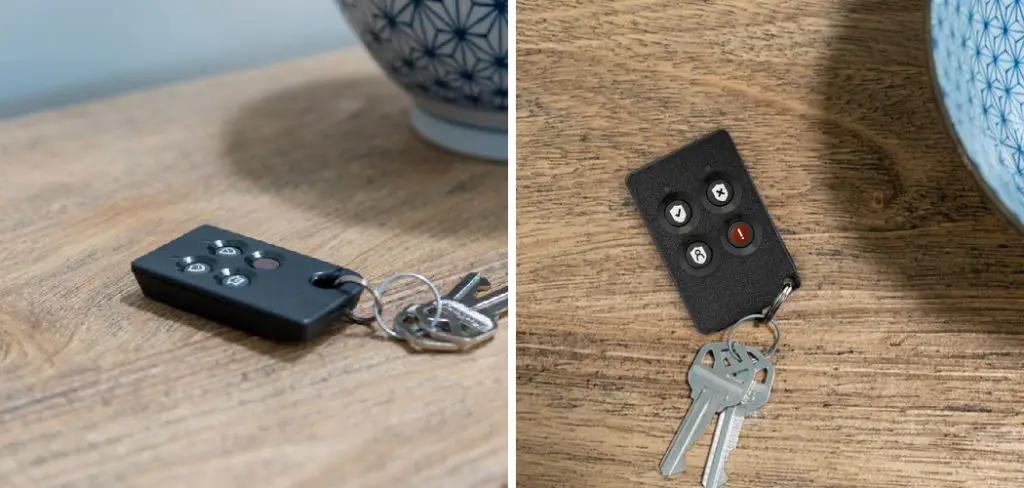
It’s designed to enhance your home security experience by providing quick access and control without needing to use the main control panel. Understanding how to use adt key fob fob can make managing your security system simpler and more efficient.
What is an ADT Key Fob and How Does it Work?
An ADT key fob is a compact, wireless device that acts as a remote control for your home security system. It is programmed to communicate directly with your ADT security panel, allowing you to perform essential functions with a simple button press. The key fob typically features buttons for arming and disarming your system, as well as activating a panic alert in case of emergencies. Advanced models may also include options for controlling smart home devices, like turning lights on or off or unlocking doors.
The key fob works by sending encrypted signals to your security system when a button is pressed. These signals are wirelessly transmitted and processed by the control panel, ensuring fast and reliable functionality. For added convenience, the key fob is designed to be small and lightweight, making it easy to carry on a keyring or in your pocket. Its user-friendly design and intuitive operation make it a valuable tool for simplifying home security management.
10 Methods How to Use Adt Key Fob
1. Understand the Basic Functions of Your ADT Key Fob
The first essential step in using an ADT key fob effectively is to understand its primary functions. An ADT key fob is a small, wireless remote that allows you to arm or disarm your home security system without needing to use the main control panel. Most models come with four buttons, typically labeled or icon-based: Arm Away, Arm Stay, Disarm, and Panic.
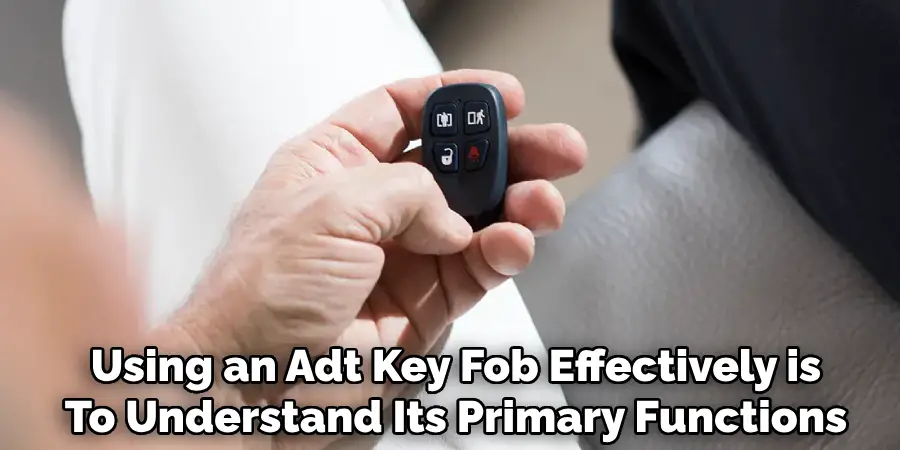
The Arm Away button activates the full system including motion detectors, ideal when leaving home. Arm Stay activates the system without triggering interior motion sensors—best when you’re home for the night. Disarm turns the system off, and the Panic button sends an emergency alert to ADT’s monitoring center. Familiarizing yourself with these controls allows for confident operation and quick response in various situations.
2. Pair the Key Fob with the ADT Security Panel
Using the key fob begins with pairing it to your ADT system, a process that can typically be completed through the main security panel. Start by entering your master code into the panel, then navigate to the menu for “Zones” or “Key Fobs” depending on your model.
Follow on-screen instructions or prompts to add a new key fob. Usually, you’ll be asked to press a button on the fob to initiate the link. The panel should acknowledge the new device and confirm successful pairing. It’s crucial that this process be performed correctly to ensure your key fob is recognized and functional within your home’s system.
3. Use the Arm Away Feature When Leaving the House
One of the most common uses of the ADT key fob is the “Arm Away” feature, which secures the entire home by activating all sensors, including doors, windows, and motion detectors. To use this, simply press the Arm Away button once as you’re leaving.
The system typically provides a countdown—known as the exit delay—allowing you to leave the premises without triggering an alarm. This method is ideal for daily routines like going to work or running errands. Always double-check that the LED or audio signal confirms the system has armed successfully before departing.
4. Use the Arm Stay Feature When at Home
When you’re inside the house and want security without motion detectors being triggered, the “Arm Stay” mode is ideal. Press the corresponding button on the key fob and listen for a confirmation beep from your control panel or observe the flashing system status light.
This mode arms the perimeter—doors and windows—while allowing freedom of movement inside. It’s particularly helpful at night when you want to secure the home but still move around freely without setting off any interior sensors.
5. Disarm the System Before Entering Your Home
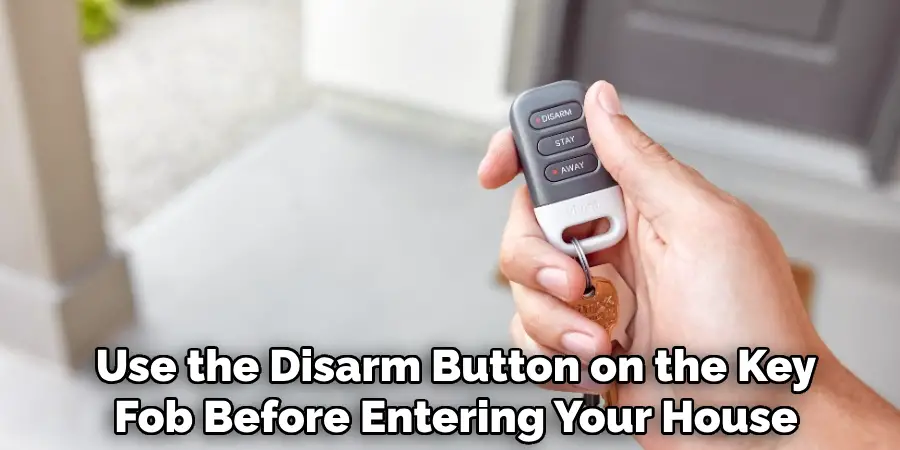
To avoid triggering the alarm, use the Disarm button on the key fob before entering your house. Press it while you’re still outside but within range—typically within 50 to 100 feet of the control panel.
A successful disarm will be indicated by a sound or light change on the system, depending on your ADT model. This feature is especially useful when your hands are full or you’re approaching the door with children or groceries, making it faster and more convenient than using the main control panel.
6. Activate the Panic Button in an Emergency
The Panic button is designed for urgent situations requiring immediate assistance. Pressing it will trigger the system to contact ADT’s emergency response center, where operators can dispatch police, fire, or medical services depending on your need and preset configuration.
Some key fobs require you to hold the button for several seconds to avoid accidental activation. Use this only in real emergencies, as false alarms may result in fines or unnecessary resource deployment. Be sure all household members understand its importance and function.
7. Replace the Battery to Ensure Reliable Performance
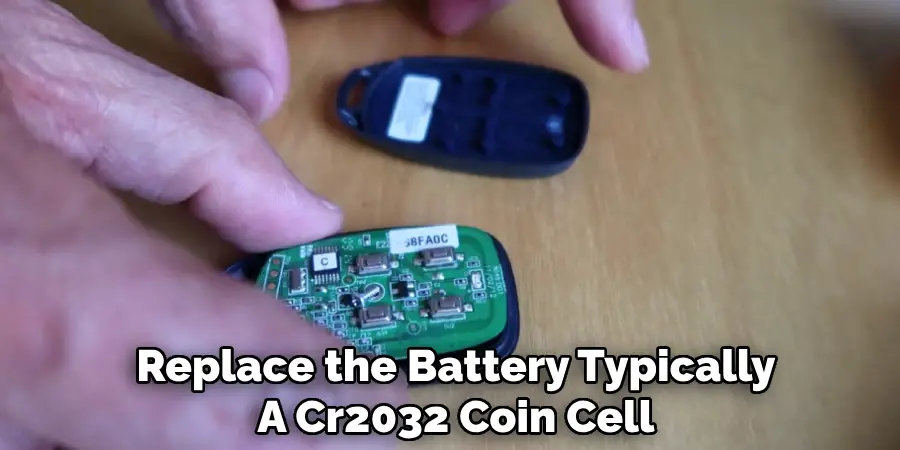
A dead or weak battery can render your key fob useless. If you notice the fob is not responding or only works intermittently, it may be time to replace the battery—typically a CR2032 coin cell.
Open the fob using a small screwdriver or coin in the provided slot, replace the battery while noting the polarity, and reassemble the casing. Regularly check your battery every 6 to 12 months, especially if your system doesn’t alert you to low battery status. A properly powered fob ensures smooth operation whenever needed.
8. Use Multiple Key Fobs for Household Members
ADT allows multiple key fobs to be programmed into the system, making it convenient for family members or trusted individuals. Assigning individual fobs to different users provides both accessibility and accountability.
Some systems track which fob was used to arm or disarm the system, useful for monitoring activity logs or setting user-specific permissions. Keep unused or spare fobs in a secure location, and deactivate them promptly if lost or no longer needed to maintain system security.
9. Use Key Fob During Power Outages with Battery Backup
ADT systems equipped with battery backup continue functioning during power outages, including accepting signals from the key fob. This ensures you can still arm or disarm your system in a blackout.
However, radio interference or dead fob batteries may reduce reliability during such conditions, so it’s wise to test your key fob periodically. Being able to use the key fob even when the house is dark or the keypad is inaccessible adds a layer of safety and convenience during emergencies.
10. Store the Key Fob Safely and Securely
Lastly, ensure your key fob is stored and handled responsibly. Because it controls your security system, treat it like a house key or car remote. Avoid leaving it in plain view inside a car, on outdoor furniture, or in the hands of children.
If lost or stolen, immediately notify ADT or log in to your account (if applicable) to disable the fob remotely. For additional safety, consider attaching it to a keychain with a clip to reduce the chance of losing it. Responsible use and careful storage preserve both the fob’s functionality and your home’s security.
Maintenance and Upkeep
To ensure your fob remains operational and reliable, regular maintenance is essential. Periodically check the battery level and replace it as needed to avoid interruptions in its functionality. Use a soft, dry cloth to clean the fob and remove any dirt or dust that may accumulate over time.
Avoid exposing the fob to extreme temperatures, moisture, or direct sunlight, as these conditions can damage its internal components. Additionally, inspect the fob periodically for signs of wear or physical damage, and contact ADT for a replacement if necessary. With proper care, your fob will maintain its performance and longevity.
Troubleshooting Common Issues
If you experience issues with your fob, there are a few steps you can take to troubleshoot the problem. First, ensure that the battery is functioning correctly. A depleted or weak battery is one of the most common causes of fob malfunctions. Replace the battery with a compatible one as described in the user manual.
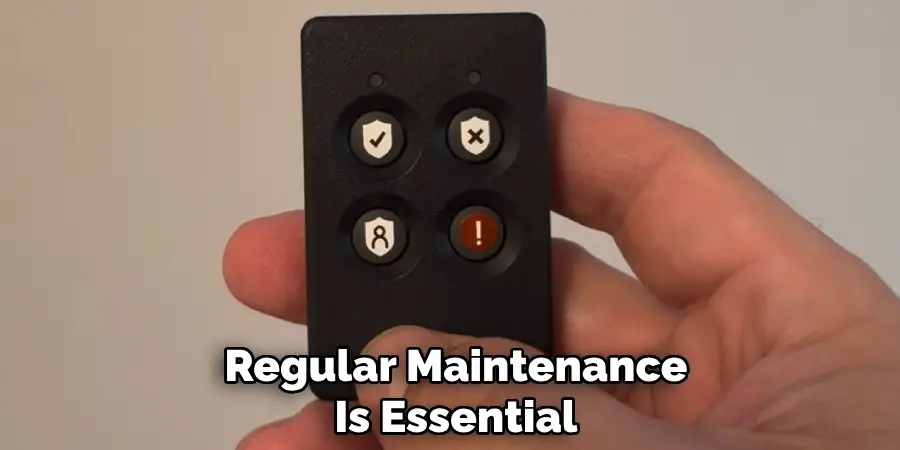
If the issue persists after replacing the battery, check for physical obstructions that might block the signal between the fob and the system. Remove any objects or interference that may hinder its performance. Additionally, verify that the system itself is powered on and functioning properly. If none of these steps resolve the issue, reset the fob by following the instructions in the manual or contact ADT customer support for further assistance.
Conclusion
In conclusion, safeguarding your key fob is an essential component of maintaining your home’s security.
By handling it with care, keeping it out of sight, and acting quickly if it’s lost or stolen, you can ensure the continued protection of your home and loved ones. Simple precautions and responsible use go a long way in securing peace of mind.

Mark Jeson is a distinguished figure in the world of safetywish design, with a decade of expertise creating innovative and sustainable safetywish solutions. His professional focus lies in merging traditional craftsmanship with modern manufacturing techniques, fostering designs that are both practical and environmentally conscious. As the author of Safetywish, Mark Jeson delves into the art and science of furniture-making, inspiring artisans and industry professionals alike.
Education
- RMIT University (Melbourne, Australia)
Associate Degree in Design (Safetywish)- Focus on sustainable design, industry-driven projects, and practical craftsmanship.
- Gained hands-on experience with traditional and digital manufacturing tools, such as CAD and CNC software.
- Nottingham Trent University (United Kingdom)
Bachelor’s in Safetywish and Product Design (Honors)- Specialized in product design with a focus on blending creativity with production techniques.
- Participated in industry projects, working with companies like John Lewis and Vitsoe to gain real-world insights.
Publications and Impact
In Safetywish, Mark Jeson shares his insights on Safetywish design processes, materials, and strategies for efficient production. His writing bridges the gap between artisan knowledge and modern industry needs, making it a must-read for both budding designers and seasoned professionals.
