
Your Nissan key fob is more than just a convenient gadget—it’s essential to the smooth operation of your car. From locking and unlocking your doors to enabling your car’s ignition system, it makes your driving experience seamless and secure. However, there may come a time when you lose the programming on your key fob or need to reprogram a new one.
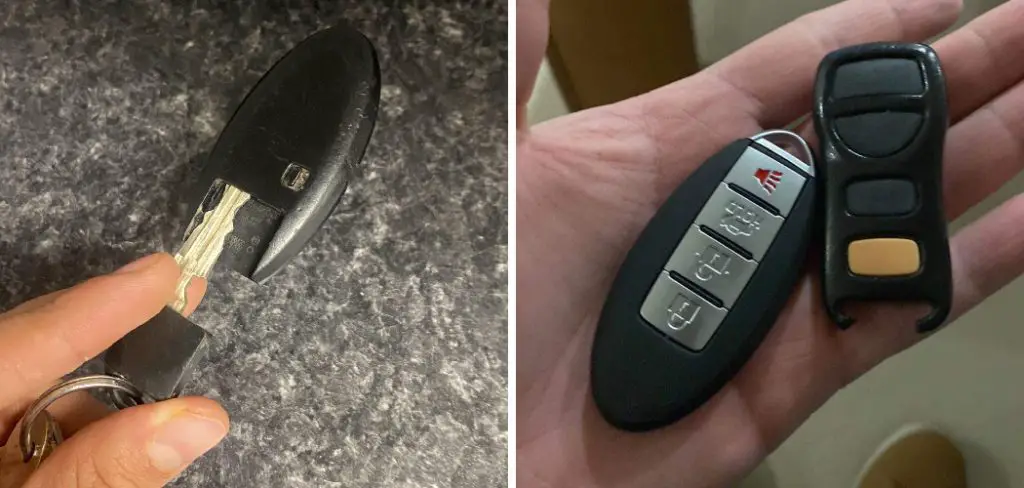
Reprogramming a Nissan key fob is a straightforward process that you can often do yourself without needing to visit a dealership. To begin, sit inside your Nissan vehicle with all the doors closed and ensure you have your key fob and the car’s ignition key. Insert the key into the ignition and turn it to the “ACC” position. Within a few seconds, return the key to the “OFF” position and repeat this step 6 to 10 times quickly.
When done correctly, the hazard lights will flash, signaling that the vehicle has entered programming mode. At this point, press any button on the key fob to synchronize it with the car. Test the key fob to confirm it is programmed successfully, and repeat the process for additional fobs if needed.
Learning how to program a Nissan key fob can save you a trip to the dealership and possibly hundreds of dollars. With just a little time, patience, and the right steps, you can restore your key fob’s functionality and get back to enjoying hassle-free entry and ignition. This guide is designed to demystify the process, making it accessible even for beginners with no prior experience in car electronics.
Why Programming Your Nissan Key Fob is Important
Programming your Nissan key fob is crucial for ensuring it properly communicates with your vehicle. Without programming, the key fob will be unable to perform basic tasks like locking and unlocking your doors or starting the engine. Reprogramming also becomes necessary if you’ve replaced the fob or battery, as these actions may disrupt the programming.
Additionally, understanding how to program a Nissan key fob gives you a sense of independence and reduces reliance on automotive professionals for simple fixes. Depending on your car model and region, some dealerships may charge steep fees for this service. Being able to do it yourself saves you time and money, while also giving you insight into how your car’s keyless entry system functions.
With modern automobiles, key fobs are more than convenience devices; they are integral to security and safety. Ensuring your fob is properly programmed reduces the chance of functionality issues down the line, making it an essential skill for all Nissan owners.
9 Step-by-Step Guide on How to Program a Nissan Key Fob
Step 1: Gather Your Supplies and Keys
To begin, ensure you have all the necessary items at hand. You’ll need your Nissan key fob, the car’s standard ignition key, and access to the vehicle.
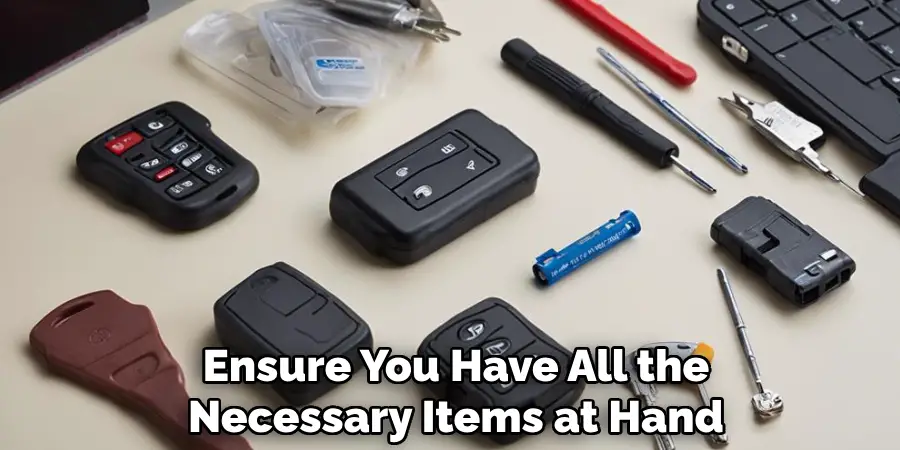
If you have multiple fobs to program, make sure they’re ready before starting, as all programming must be completed in a single session.
Step 2: Enter the Vehicle
Sit in the driver’s seat and make sure all the car doors are securely closed. Locking and unlocking the doors manually once before starting the programming process can help reset the car’s electrical system. This step ensures a clean slate for the programming sequence.
Step 3: Insert and Remove the Key
Insert the physical ignition key into the ignition switch without turning it, then remove it. Repeat this step six to ten times in quick succession, pausing between insertions just enough to avoid jamming.
Complete this sequence within 10 seconds. You’ll know you’re successful when the car’s hazard lights flash twice, signaling that the system is in programming mode.
Step 4: Turn the Key to ACC Mode
Insert the key into the ignition again, but this time, turn it to the “ACC” position. The ACC mode is the first position that powers some of the car’s electrical components without starting the engine. This step readies the car’s systems to accept the key fob programming.
Step 5: Press Any Button on the Key Fob
Take your Nissan key fob and press any button on it, holding it down for about two to three seconds. If you have additional key fobs to program, press a button on each within five seconds of programming the first one. This ensures all fobs sync during the same programming session.

Step 6: Exit the Programming Mode
Turn the key back to the “OFF” position and remove it from the ignition to exit programming mode. Test your newly programmed key fob by locking and unlocking the car doors. This simple test confirms whether the programming was successful or needs to be repeated.
Step 7: Address Potential Issues
If the key fob fails to function, you may need to restart the process. Sometimes, the problem can be as simple as not inserting or removing the key quickly enough in Step 3. Make sure all steps are performed accurately, and don’t hesitate to try again if the first attempt doesn’t work.
Step 8: Test the Ignition Functionality
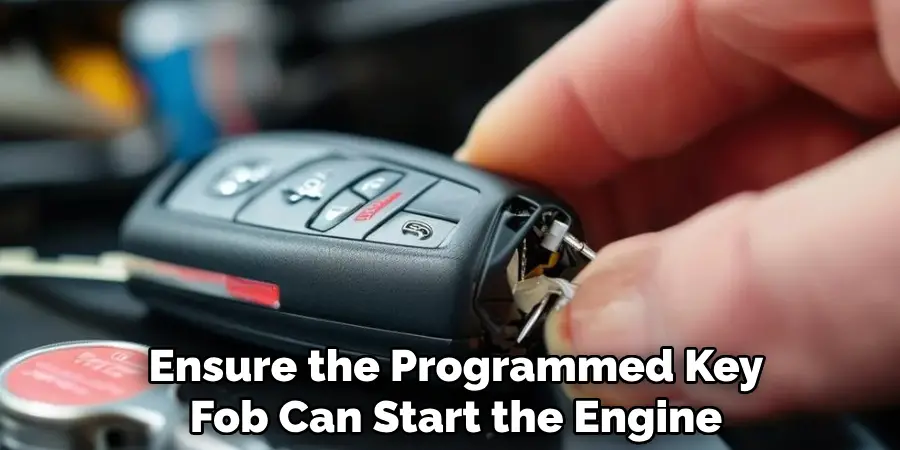
Ensure the programmed key fob can start the engine if your Nissan model is equipped with push-button ignition. Place the fob close to the ignition switch and attempt to start the car. If successful, the fob is fully programmed and ready for use.
Step 9: Repeat the Process for Additional Fobs
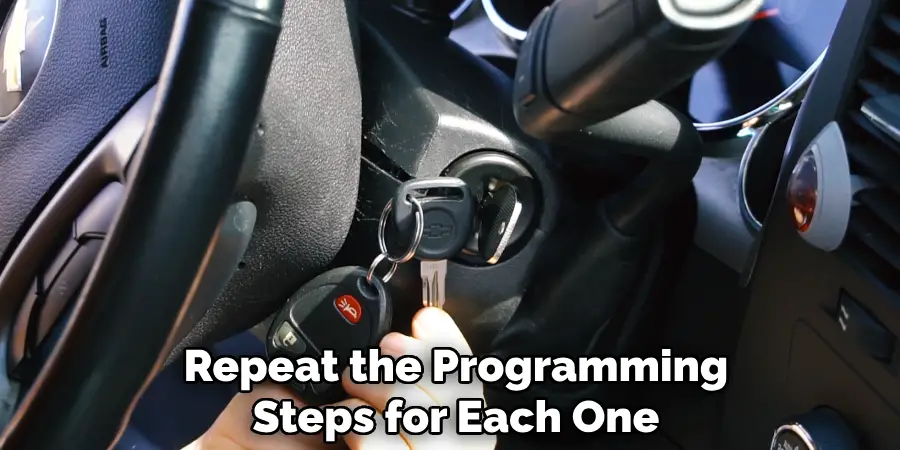
If your Nissan accommodates multiple key fobs, repeat the programming steps for each one. Remember that all devices must be programmed in the same session to prevent conflicts.
Troubleshooting Steps
If you encounter any issues during the key fob programming process, consider the following troubleshooting steps to resolve them effectively:
Check the Battery
Ensure the battery in the key fob is fully charged or recently replaced. A weak or dead battery could prevent successful programming or proper operation.
Verify the Key Fob Compatibility
Confirm that the key fob is compatible with your specific Nissan model. Using an incorrect fob may cause programming failures.
Repeat the Programming Sequence
If the programming process fails, carefully follow the instructions and repeat the steps from the beginning. Missteps or skipped instructions can hinder proper programming.
Inspect the Vehicle’s Battery
A low vehicle battery can impact communication between the key fob and the car’s system. If you suspect this might be the issue, check the car battery and recharge or replace it if needed.
Consult the Owner’s Manual
Refer to the owner’s manual for your Nissan model to verify that all procedures are being followed correctly and to check for model-specific instructions.
Contact a Professional
If the problems persist despite these steps, consider seeking help from a certified Nissan technician or your dealership. They have the tools and expertise to resolve more complex programming issues.
By systematically addressing potential issues, you can often ensure the successful programming and operation of your key fob.
Frequently Asked Questions Section
Why is my Nissan key fob not working after programming?
If your key fob isn’t functioning after programming, it could be due to improper execution of the steps. For example, not fully inserting and removing the key during the “six-to-ten times” sequence can prevent the car from entering programming mode.
Additionally, a weak fob battery might not transmit signals effectively. Replace the battery and retry the process if necessary.
Can I program a Nissan key fob without a master key?
Most Nissan models require the master ignition key for programming a new fob. The master key contains a unique chip linked to the car’s system, serving as the primary device for setup. If you’ve lost the master key, you may need to contact a dealership to have a new one issued before programming.
How long does it take to program a Nissan key fob?
Programming a Nissan key fob typically takes less than 10 minutes once you have the supplies ready. The process is straightforward and can be completed in one attempt if the steps are followed precisely. However, it may take longer if you’re programming multiple fobs or need to troubleshoot along the way.
Can I program a used key fob to my Nissan?
Yes, used key fobs can sometimes be reprogrammed to your vehicle, provided they are compatible with your specific Nissan model. Ensure the fob has been cleared from its previous vehicle’s system to avoid conflicts during programming. Compatibility details can often be found in your vehicle’s manual or by consulting with a Nissan dealership.
How often should I reprogram my Nissan key fob?
Generally, you don’t need to reprogram a key fob unless its programming is lost due to a dead battery replacement or replacement of the device itself. If you switch key fobs between vehicles or notice malfunctions, reprogramming may also be necessary to restore functionality.
Conclusion
Programming a Nissan key fob is a straightforward but essential task that restores and enhances your car’s usability. By following the steps in this guide, you’ll understand how to program a Nissan key fob effectively and independently. It eliminates the need to rely on costly dealership services and puts the power of care and maintenance in your hands.
If you encounter any difficulties during the programming process, it’s always a good idea to consult your vehicle’s manual or reach out to a professional for assistance. Taking time to ensure the process is done correctly will save you from potential frustration and ensure your key fob works seamlessly with your Nissan vehicle.
If your key fob isn’t functioning as it should, don’t be discouraged. Revisit this guide and try the process again—it’s designed to accommodate even first-timers. With the convenience and confidence that come with a fully programmed key fob, you’ll be ready to hit the road with ease. Why wait? Grab your fob, follow the steps, and ensure your car operates smoothly today!

Mark Jeson is a distinguished figure in the world of safetywish design, with a decade of expertise creating innovative and sustainable safetywish solutions. His professional focus lies in merging traditional craftsmanship with modern manufacturing techniques, fostering designs that are both practical and environmentally conscious. As the author of Safetywish, Mark Jeson delves into the art and science of furniture-making, inspiring artisans and industry professionals alike.
Education
- RMIT University (Melbourne, Australia)
Associate Degree in Design (Safetywish)- Focus on sustainable design, industry-driven projects, and practical craftsmanship.
- Gained hands-on experience with traditional and digital manufacturing tools, such as CAD and CNC software.
- Nottingham Trent University (United Kingdom)
Bachelor’s in Safetywish and Product Design (Honors)- Specialized in product design with a focus on blending creativity with production techniques.
- Participated in industry projects, working with companies like John Lewis and Vitsoe to gain real-world insights.
Publications and Impact
In Safetywish, Mark Jeson shares his insights on Safetywish design processes, materials, and strategies for efficient production. His writing bridges the gap between artisan knowledge and modern industry needs, making it a must-read for both budding designers and seasoned professionals.
