
Cell phones have become essential in our daily lives, holding vast amounts of personal and professional information. While they are marvels of modern technology, one growing concern is the potential for unauthorized listening. Whether it’s malicious apps, spyware, or even hacked devices, the threat of your private conversations being intercepted is very real.

Learning how to block listening devices on cell phones is a crucial step in ensuring that your privacy remains intact. Fortunately, there are practical steps you can take to safeguard your device from eavesdroppers. This guide covers the essentials in a beginner-friendly manner, empowering you to secure your phone and protect your conversations from prying ears.
One of the first steps to protect your phone from listening devices is to regularly check and update your device’s software. Software updates often include security patches that fix vulnerabilities hackers could exploit. Additionally, review the permissions granted to apps on your phone.
Many applications request access to the microphone unnecessarily, and revoking these permissions can limit potential eavesdropping. It’s also wise to avoid downloading apps from unofficial or unknown sources, as these could carry malicious software designed to monitor your activity. Taking these precautions will help significantly reduce the risk of your device being compromised.
Why It’s Important to Block Listening Devices on Cell Phones
The ability to block listening devices is more relevant now than ever before. Today, our cell phones are not just communication tools—they act as our personal assistants, wallets, and portals to our digital lives. However, this incredible functionality comes with risks. Listening devices or surveillance apps can easily invade your privacy, exposing sensitive personal or business information.
Unauthorized listening poses threats ranging from stolen financial details to compromised business strategies. Hackers, malicious actors, or even advertisers can exploit vulnerabilities in your phone to monitor conversations, access files, or collect data without your consent.
By understanding how to block listening devices on cell phones, you can take control of your personal security and ensure your phone remains a tool for convenience rather than a threat to your privacy. Educating yourself and implementing protective measures serves as a necessary precaution in today’s digitally interconnected world.
Step-by-Step Guide on How to Block Listening Devices on Cell Phones
If you suspect your device might be compromised or you simply want to enhance your security, follow these detailed steps to block potential listening devices effectively.
Step 1: Identify Signs of Compromise
The first step in addressing potential eavesdropping is identifying whether your phone has been compromised. Unusual signs include rapid battery drain, unexplained background noise during calls, and increased data consumption without any clear reason.
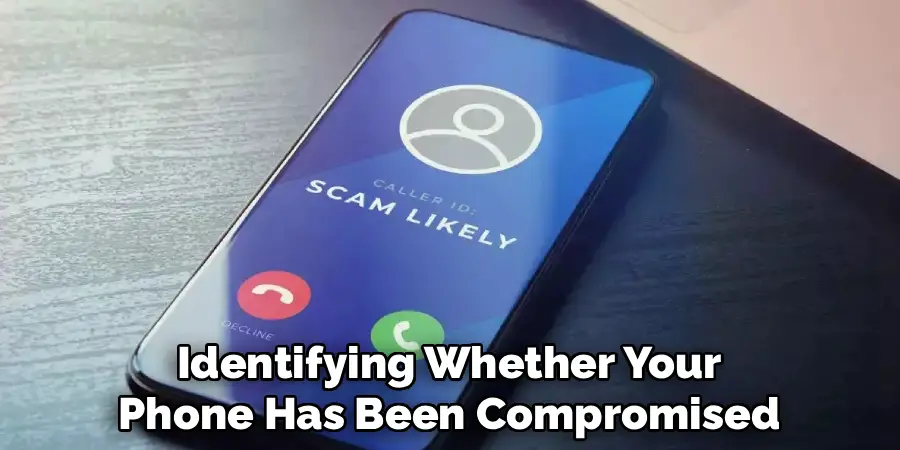
Also, keep an eye out for apps you don’t recognize, as they could potentially be spyware. Addressing these signs promptly is critical to tackling listening devices.
Step 2: Update Your Phone’s Software
Operating system updates often include essential security patches to fix vulnerabilities. Running outdated software increases your risk of exposure to listening devices. Always ensure your phone’s operating system is up to date. Regular updates not only enhance performance but also strengthen defenses against malware and spyware designed to exploit past vulnerabilities.
Step 3: Review and Remove Unknown Apps
Navigate to your phone’s app manager and review the list of installed applications. Any unfamiliar or suspicious apps should be uninstalled immediately. Spyware is often disguised as harmless apps, so inspect each app closely. If an app looks unnecessary or overly invasive, don’t hesitate to remove it. This minimizes the chances of unknowingly harboring a listening device.
Step 4: Adjust App Permissions
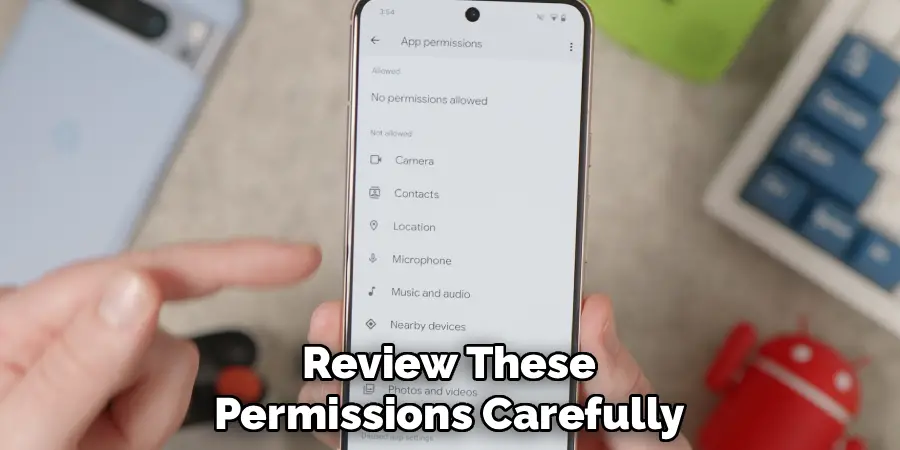
Applications often seek permissions to access your microphone, camera, and other sensitive features. Review these permissions carefully under your phone’s settings. Limit microphone and camera access to apps that genuinely require these permissions. Disconnecting unnecessary access is a proactive way to block attempts at unauthorized listening through apps.
Step 5: Enable Encryption Features
Encryption protects your data by making it unreadable to unauthorized users. Most modern smartphones come with built-in encryption features.
Activating these ensures that, even if someone intercepts your data, they cannot access its contents without the proper decryption keys. Encrypting your conversations and files is an essential part of safeguarding your phone against threats.
Step 6: Use Anti-Spyware Tools
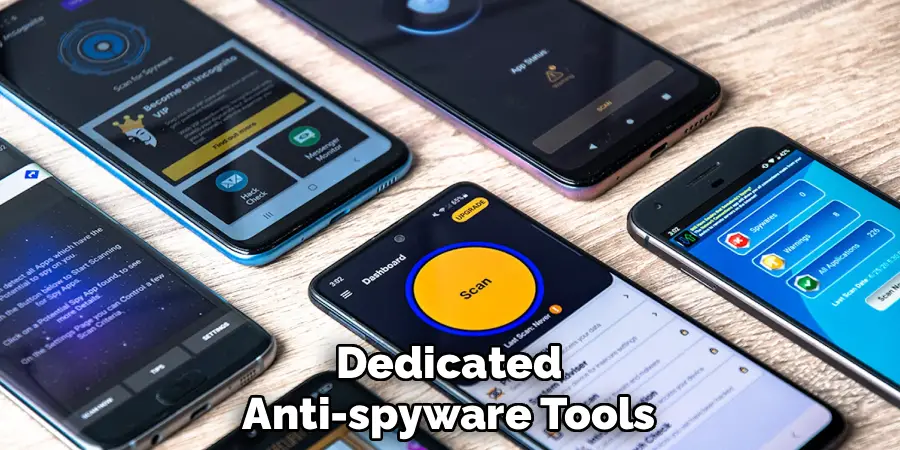
Dedicated anti-spyware tools can detect and block listening devices present in your phone. Download reputable security apps specifically designed for identifying tracking software or malware. Make it a habit to run periodic scans on your device to detect and remove any harmful elements. Regular scans bolster your phone’s defenses.
Step 7: Turn Off Unused Features
Features like Bluetooth, Wi-Fi, and voice assistants can become entry points for hackers. When not in use, disable these features to reduce the potential for unauthorized access. By turning off Bluetooth and Wi-Fi when they aren’t needed, you eliminate opportunities for malicious actors to connect to your phone.
Step 8: Avoid Public Wi-Fi Networks
Public Wi-Fi networks are notorious for their lack of security, making them a hotbed for hackers. Avoid connecting to free or open networks unless you’re using a secured virtual private network (VPN). Public networks pose a significant risk of exposing your phone to surveillance tools, so it’s essential to be cautious when online in public spaces.
Step 9: Use a Microphone Blocker
A hardware-based microphone blocker prevents apps or devices from accessing your microphone. These devices plug into your phone’s headphone jack and disable the microphone when active. This ensures no audio data can be transferred without your consent, effectively blocking any attempts at eavesdropping.
Step 10: Reset Your Phone
If you suspect advanced spyware that the above steps cannot address, consider performing a factory reset to remove all applications and restore the phone to its default settings. While it erases all data, it’s the most effective way to eliminate deeply embedded listening devices. Ensure all important data is backed up before proceeding.
Future Security Trends
As technology continues to evolve, so do the methods used to protect personal privacy and prevent unauthorized surveillance. One significant trend is the increasing adoption of artificial intelligence in security systems.
AI can analyze patterns, detect anomalies, and identify potential threats more efficiently than traditional methods. Another emerging trend is the rise of biometric authentication, such as facial recognition and fingerprint scanning, which offers stronger security layers compared to traditional passwords.
Additionally, advancements in encryption technology are shaping the future of secure communication, ensuring data remains safe from interception. The expansion of the Internet of Things (IoT) also highlights the need for more robust security protocols to protect interconnected devices, as they are increasingly targeted by cyber threats. Staying vigilant about these developments will be essential as technology further integrates with daily life.
Frequently Asked Questions Section
How do I know if someone is listening to my cell phone?
Unusual battery usage and unexplained increases in data activity may suggest someone is listening to your phone. Additionally, background noise or static during calls can indicate interference from spyware. Monitoring these patterns can help you identify potential eavesdropping.

Can I block listening devices without technical knowledge?
Yes, many of the precautions, such as disabling unnecessary permissions and updating software, require little to no technical expertise. Apps designed for cybersecurity also provide user-friendly tools to detect and block threats on your phone.
Can a factory reset remove spyware and listening devices?
A factory reset removes most existing spyware by returning the phone to its original state, erasing all installed apps, files, and potentially harmful software. However, before resetting, backup your essential data to avoid losing important information.
Are anti-spyware apps effective in blocking listening devices?
Anti-spyware apps are highly effective in identifying and eliminating malicious software. They provide real-time protection and regular scans to detect vulnerabilities, making them a valuable tool for securing your phone. Choose reputable apps with positive user reviews for reliable results.
What’s the role of encryption when blocking listening devices?
Encryption secures your communications and data by converting them into unreadable text for unauthorized users. Even if your conversation or data is intercepted, encryption ensures that the information remains inaccessible without a decryption key, providing an additional layer of security.
Conclusion
Understanding how to block listening devices on cell phones is an essential skill in today’s digitally interconnected world. Protecting your phone from unauthorized access not only ensures your privacy but also safeguards sensitive personal and professional information.
Taking proactive steps, such as reviewing app permissions, enabling encryption, and using anti-spyware tools, empowers you to secure your device with confidence. Whether you’re handling business matters or enjoying private conversations, these measures can make all the difference. Start implementing them today to take control of your phone’s security and keep potential threats at bay.
Additionally, staying vigilant against phishing attempts can further strengthen your phone’s security. Be cautious when clicking on links in unsolicited messages or emails, as these could lead to malicious websites designed to steal your information. Regularly updating your phone’s software is equally important, as it ensures you have the latest security patches to protect against evolving threats. By maintaining awareness and practicing safe habits, you can create a robust defense against potential cyber risks.

Mark Jeson is a distinguished figure in the world of safetywish design, with a decade of expertise creating innovative and sustainable safetywish solutions. His professional focus lies in merging traditional craftsmanship with modern manufacturing techniques, fostering designs that are both practical and environmentally conscious. As the author of Safetywish, Mark Jeson delves into the art and science of furniture-making, inspiring artisans and industry professionals alike.
Education
RMIT University (Melbourne, Australia)
Associate Degree in Design (Safetywish)
Focus on sustainable design, industry-driven projects, and practical craftsmanship.
Gained hands-on experience with traditional and digital manufacturing tools, such as CAD and CNC software.
Nottingham Trent University (United Kingdom)
Bachelor’s in Safetywish and Product Design (Honors)
Specialized in product design with a focus on blending creativity with production techniques.
Participated in industry projects, working with companies like John Lewis and Vitsoe to gain real-world insights.
Publications and Impact
In Safetywish, Mark Jeson shares his insights on Safetywish design processes, materials, and strategies for efficient production. His writing bridges the gap between artisan knowledge and modern industry needs, making it a must-read for both budding designers and seasoned professionals.
