
In an age where our smartphones are central to our daily lives, privacy has become a major concern for many. Your cell phone holds a vast amount of personal information, from private conversations to sensitive data. The thought of unauthorized access can be unsettling. This guide is designed to empower you with the knowledge and tools to protect your privacy.

We will walk you through practical and effective methods on how to block listening devices on cell phones. By following these steps, you can take control of your device’s security, ensuring your conversations and personal information remain confidential. This process is straightforward and accessible, even if you are not a tech expert.
In today’s digital age, privacy has become a major concern for individuals and organizations alike. With the increasing use of technology, our personal information and conversations are constantly at risk of being accessed by unauthorized parties. This is especially true when it comes to cell phones, which have become an integral part of our lives.
Why This Topic Is More Important Than Ever
Protecting your digital privacy is no longer just for the tech-savvy; it’s a fundamental need for everyone. Cell phones have microphones that are essential for calls, voice commands, and recordings. However, these same microphones can potentially be exploited by malicious apps or software to listen in on your surroundings without your consent.
Understanding the risks associated with unauthorized audio surveillance is the first step toward securing your device. This guide provides you with actionable strategies to safeguard your phone, giving you peace of mind that your private life stays private.
Tools and Materials
To protect your device from unauthorized audio surveillance, you’ll need a few tools and materials. These include:
- Trusted Security Apps
Look for reputable anti-malware and privacy-focused apps that can monitor and block suspicious activities on your phone. - Software Updates
Ensure your operating system and apps are up to date with the latest security patches to prevent vulnerabilities. - Microphone Blockers
Consider physical microphone blockers or software tools that can disable microphone access when not in use. - Privacy Settings
Familiarize yourself with your phone’s privacy settings to control app permissions and microphone access. - Headphones with Built-in Microphones
Using external microphones or headphones can provide an extra layer of control over your device’s audio input.
Having these tools and materials ready will help you implement effective measures to protect your phone’s microphone from potential breaches.
Step-by-Step Guide on How to Block Listening Devices on Cell Phones
Securing your phone from potential eavesdropping involves a multi-layered approach. By being proactive and regularly checking your device’s settings and permissions, you can significantly reduce the risk of unauthorized access. This section provides a detailed walkthrough of the essential steps you should take.
Step 1: Conduct a Thorough App Audit
The most common way for listening devices to operate on your phone is through malicious apps you might have installed. Start by reviewing every app on your device. Go to your phone’s settings and look for the application manager. Scrutinize the list for any apps you don’t recognize or no longer use. Malicious software can often disguise itself with generic names or icons. If you find an app that seems suspicious or that you cannot recall installing, it’s best to uninstall it immediately. This simple clean-up is a powerful first line of defense against potential threats.
Step 2: Carefully Manage App Permissions
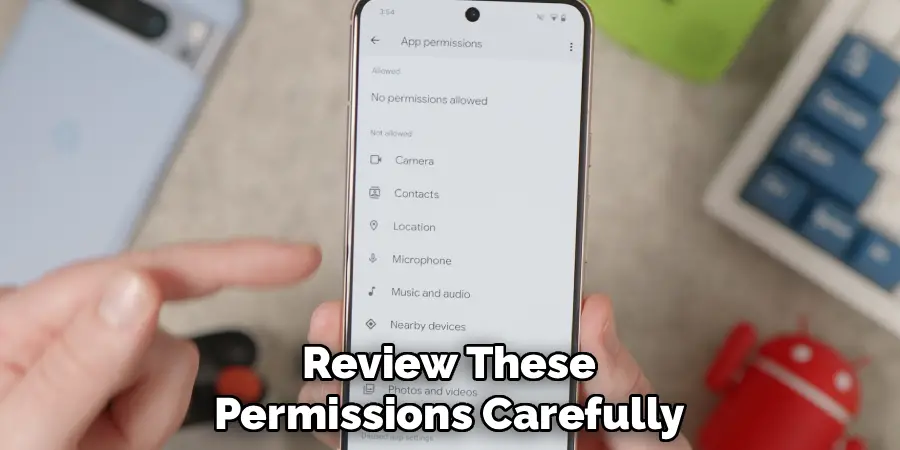
Every app on your phone requests certain permissions to function. However, not all of them need access to your microphone. Navigate to your phone’s privacy or permissions settings to review which apps have been granted microphone access. Be critical here. Does a photo editing app really need to listen to you? Does that simple puzzle game require microphone permissions? If an app’s request for microphone access seems unnecessary for its core function, revoke it. This is a critical step in preventing apps from listening in the background without your knowledge. Regular reviews of these permissions are essential for maintaining your privacy.
Step 3: Keep Your Operating System
Software developers constantly release updates that include security patches for newly discovered vulnerabilities. Running an outdated operating system or using old versions of apps can leave your phone exposed to security threats, including those that could enable listening devices. Enable automatic updates on your phone for both the operating system (like iOS or Android) and your individual apps. By staying current, you ensure your device is protected by the latest security measures, making it much harder for malicious software to infiltrate and operate on your phone. This simple habit can significantly bolster your device’s defenses.
Step 4: Use a Physical Microphone Blocker
For a more direct and foolproof method, consider using a physical microphone blocker. These are small, simple devices that plug into your phone’s headphone jack (or lighting/USB-C port via an adapter). The blocker essentially tricks your phone into thinking an external microphone is connected, which disables the internal microphones. This physical barrier ensures that no app or malware can access your phone’s audio input. It’s a low-tech solution to a high-tech problem and offers complete peace of mind when you are having sensitive conversations or are in a private setting. They are inexpensive and easy to use.
Step 5: Be Wary of Public Wi-Fi
Connecting to unsecured public Wi-Fi networks can expose your device to a variety of security risks. Hackers can use these networks to intercept data transmitted from your phone, and in some cases, they can push malware to connected devices. This is a potential avenue for installing software that could activate your microphone. Whenever possible, avoid using public Wi-Fi for sensitive activities. If you must connect, use a Virtual Private Network (VPN). A VPN encrypts your internet traffic, creating a secure tunnel that protects your data from prying eyes and makes it much more difficult for attackers to compromise your device.
Step 6: Install Reputable Security
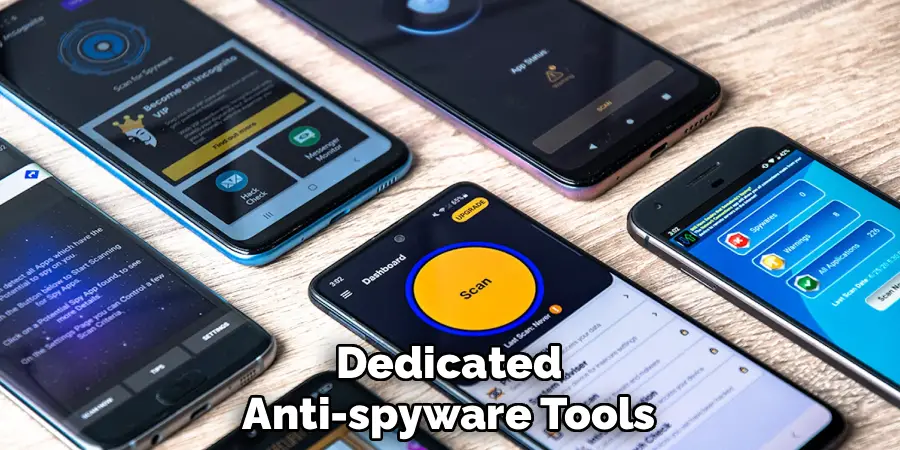
Just as you protect your computer with antivirus software, your phone needs similar protection. Install a reputable mobile security app from a well-known provider. These applications can scan your device for malware, spyware, and other malicious software that might be designed to hijack your microphone. They can also help identify apps that exhibit suspicious behavior, such as requesting excessive permissions. A good security app provides an extra layer of defense that actively monitors your phone for threats, alerting you to potential issues before they can cause significant harm.

Step 7: Perform a Factory Reset as a Last Resort
If you have tried all the steps above and still suspect your phone may be compromised, performing a factory reset is a final, decisive action. This process will erase all data, settings, and apps from your device, returning it to its original out-of-the-box state. This will also remove any hidden malware or spyware that may have been installed. Before you proceed, make sure to back up all your important data, such as contacts, photos, and documents. While a factory reset is a drastic measure, it is one of the most effective ways to ensure a clean slate and eliminate persistent threats.
Frequently Asked Questions
How Can I Tell if My Phone Is Being Monitored?
Detecting monitoring can be tricky, but there are signs to look for. These include:
- Unusual spikes in data usage, as monitoring apps may send data to a remote server.
- Your phone’s battery draining much faster than usual.
- The device becoming warm to the touch even when not in use.
- Hearing strange background noises or clicks during phone calls.
- Your phone lighting up or making noises when you are not using it.
While these can have other causes, a combination of them warrants a closer look at your device’s security.
Are Microphone Blockers Really Effective?
Yes, physical microphone blockers are highly effective. They work on a simple principle: by plugging into your phone’s audio jack, they make the device think an external microphone is attached. This action automatically disables the phone’s internal microphones, creating a physical air gap that software cannot bypass. No app or malware can turn on a microphone that is physically disconnected or disabled by the hardware. It is one of the most reliable methods for ensuring audio privacy when you are not actively using your microphone for calls or recordings.
Can Apps Listen Even When My Phone Is Off?
Generally, no. When your phone is completely powered down, all its components, including the microphone, are inactive and without power. An app cannot function or access hardware on a device that is turned off. However, some advanced forms of malware could potentially create a “fake shutdown” mode, where the screen is black, but the device remains in a low-power state, still capable of recording. This is extremely rare and typically associated with sophisticated, targeted attacks. For the average person, a powered-off phone is a secure phone.
Does Airplane Mode Block Listening Devices?
Airplane mode primarily disables your phone’s wireless transmission functions: cellular, Wi-Fi, and Bluetooth. It does not, however, disable the internal microphone. An app that has already been granted microphone permission could still theoretically record audio while the phone is in airplane mode. The recording would then be stored locally on the device and could be transmitted later once a network connection is re-established. Therefore, while airplane mode is useful for cutting off network-based attacks, it does not prevent local recording by compromised apps.
Is It Legal for Apps to Record Me Without My Permission?
No, it is generally illegal for an app to record you without your explicit consent, especially in places where you have a reasonable expectation of privacy. Laws like the Electronic Communications Privacy Act (ECPA) in the United States and GDPR in Europe provide strong protections against unauthorized wiretapping and data collection. When you install an app, it must ask for permission to access your microphone. If an app records you without this permission or for purposes beyond what was disclosed, it is likely violating the law and the app store’s terms of service.
Conclusion
Taking charge of your cell phone’s security is an essential practice in our connected world. By understanding the potential risks and taking proactive steps, you can significantly enhance your privacy. The methods outlined in this guide—from auditing app permissions and keeping your software updated to using physical blockers and security software—provide a robust framework for protection. We encourage you to implement these strategies to feel more secure in your daily life. Learning how to block listening devices on cell phones is not about paranoia; it is about smart, responsible device ownership.

Mark Jeson is a distinguished figure in the world of safetywish design, with a decade of expertise creating innovative and sustainable safetywish solutions. His professional focus lies in merging traditional craftsmanship with modern manufacturing techniques, fostering designs that are both practical and environmentally conscious. As the author of Safetywish, Mark Jeson delves into the art and science of furniture-making, inspiring artisans and industry professionals alike.
Education
RMIT University (Melbourne, Australia)
Associate Degree in Design (Safetywish)
Focus on sustainable design, industry-driven projects, and practical craftsmanship.
Gained hands-on experience with traditional and digital manufacturing tools, such as CAD and CNC software.
Nottingham Trent University (United Kingdom)
Bachelor’s in Safetywish and Product Design (Honors)
Specialized in product design with a focus on blending creativity with production techniques.
Participated in industry projects, working with companies like John Lewis and Vitsoe to gain real-world insights.
Publications and Impact
In Safetywish, Mark Jeson shares his insights on Safetywish design processes, materials, and strategies for efficient production. His writing bridges the gap between artisan knowledge and modern industry needs, making it a must-read for both budding designers and seasoned professionals.
