
Are you having trouble unlocking your Buick with your key fob? It might be time to change the battery. Here, we will walk you through the steps of changing the battery in a Buick key fob.
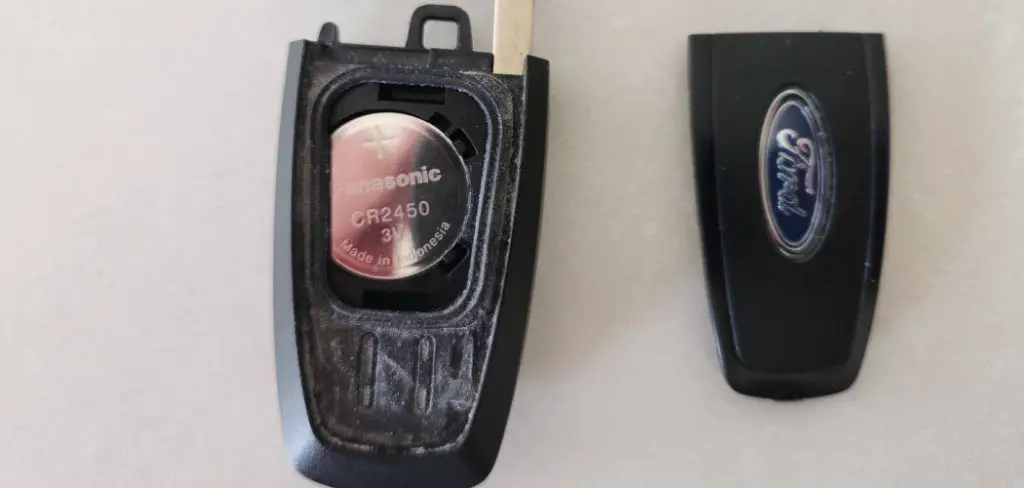
Changing the battery in your Buick key fob is a straightforward process that can save you time and money compared to visiting a dealership. Over time, the battery in your key fob may lose power, causing issues with locking, unlocking, or starting your vehicle remotely. By replacing the battery yourself, you can restore full functionality to your key fob in just a few minutes.
This guide on how to change battery in buick key fob will walk you through the necessary steps and tools required to complete the process with ease.
What Are the Benefits of Changing Your Battery in a Buick Key Fob?
Changing the battery in your Buick key fob has several benefits, including:
- Cost Savings: Replacing the battery yourself is much cheaper than going to a dealership or hiring a mechanic.
- Convenience: You can change the battery at home without making an appointment or waiting for someone else to do it.
- Time-saving: Changing the battery takes only a few minutes compared to waiting for a dealership or mechanic to complete the task.
- Restoring Functionality: By replacing the battery, you can ensure that your key fob functions properly and avoid any issues with locking, unlocking, or starting your vehicle remotely.
Moreover, changing the battery in your key fob can also save you money in the long run.
What Will You Need?
To change the battery in your key fob, you will need:
- A new CR2032 3-volt lithium coin cell battery (available at most hardware or electronics stores)
- A small flat-head screwdriver or a plastic pry tool
- Optional: gloves to avoid getting any dirt or debris on your hands during the process
Once you have these items, you are ready to start changing your key fob battery.
8 Easy Steps on How to Change Battery in Buick Key Fob
Step 1. Locate the Seam on the Key Fob
Look closely at the sides of your Buick key fob to find the seam where the two halves of the fob meet. This seam is usually easy to spot as it runs along the edge of the fob’s casing. The seam is where you will insert your tool to open the key fob, so be sure to take a moment to identify it.
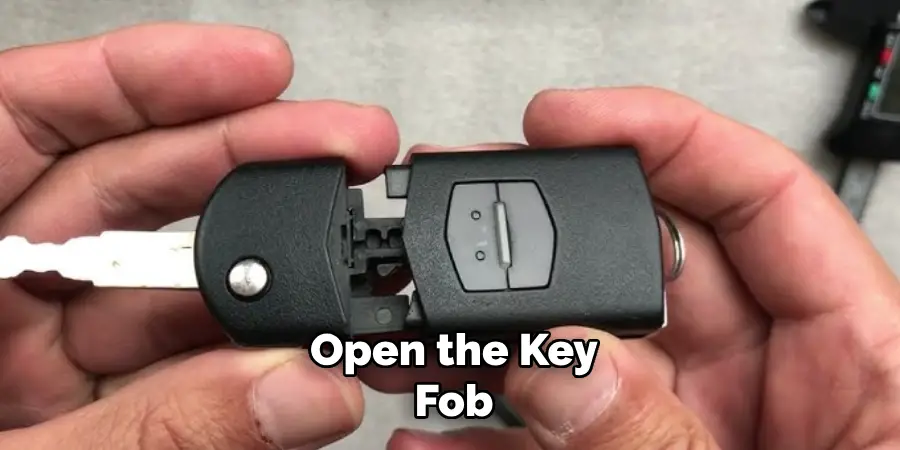
If you’re having trouble seeing the seam, try tilting the fob under good lighting or running your fingernail along the edges to feel for the separation point. Preparing for this step carefully will help avoid scratching or damaging the casing when you proceed to open it.
Step 2. Pry Open the Key Fob
To pry open the key fob, you will need a small, flat tool such as a flathead screwdriver or a coin. Insert the edge of your chosen tool gently into the seam you identified earlier. Apply slight pressure to create enough leverage to separate the two halves of the casing.
Be careful not to twist or force the tool too aggressively, as this could crack the plastic or damage the internal components. If the fob does not open easily, check to make sure your tool is positioned correctly in the seam.
Work your way around the edges incrementally, prying gently until the casing begins to come apart. Patience and a steady hand are key to successfully opening the fob without causing unnecessary damage.
Step 3. Remove the Old Battery
Once the casing is open, locate the old battery secured inside. Carefully note its orientation, as the new battery will need to be installed in the same position. Use a small, non-metallic tool, such as a plastic spudger or a fingernail, to gently lift the battery out of its compartment.
Avoid using metal tools to prevent accidental short circuits. If the battery feels stuck, take your time and carefully work around its edges until it comes free. Dispose of the old battery responsibly by following local recycling guidelines for electronic waste.
Step 4. Inspect the Key Fob
Before installing the new battery, carefully inspect the key fob for any dirt, debris, or damage. Use a soft, dry cloth or a small brush to clean the compartment and surrounding areas. Ensure that no residue is left inside, as this could interfere with the functionality of the new battery.
If you notice any loose or damaged components, consider repairing or replacing them before proceeding. A clean and well-maintained key fob will ensure optimal performance and longevity.
Step 5. Insert the New Battery
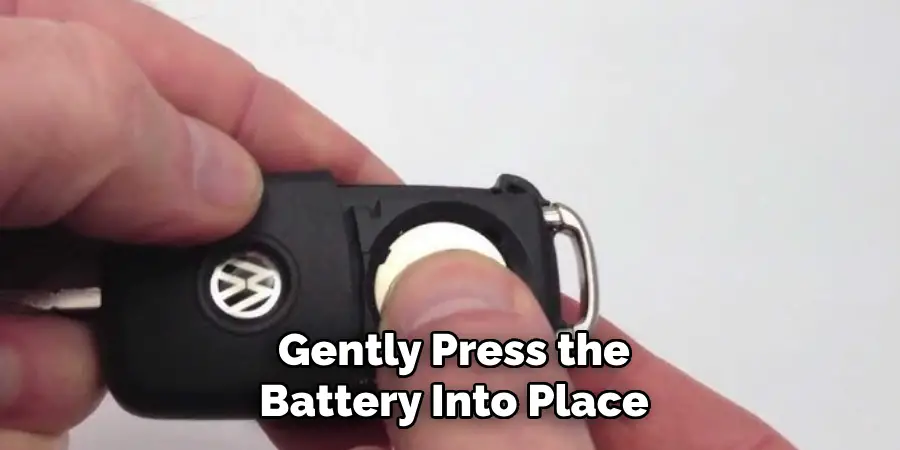
Align the new battery with the designated slot, ensuring that the positive (+) and negative (-) sides match the markings inside the key fob. Gently press the battery into place until it is secure, being careful not to force it, as excessive pressure could cause damage. Double-check that the battery is properly seated to ensure reliable functionality.
Step 6. Reassemble the Key Fob
Carefully align the two halves of the key fob casing, ensuring that all components are in their correct positions. Press the halves together until you hear a click or feel them snap securely into place.
If your key fob has screws, use a screwdriver to fasten them tightly without over-tightening, as this could strip the threads. Once reassembled, check that the casing is flush and secure to prevent any gaps or loose sections.
Step 7. Check the Key Fob Functionality
After reassembling the key fob, test its functionality to ensure it is working properly. Stand near your vehicle and press the buttons on the fob, verifying that each one performs its intended action, such as locking and unlocking the doors, opening the trunk, or activating the panic alarm.
If the key fob does not respond or functions inconsistently, double-check the battery installation and ensure all components are assembled correctly. For persistent issues, consider consulting your vehicle’s manual or contacting a professional for assistance.
Step 8. Dispose of the Old Battery Properly
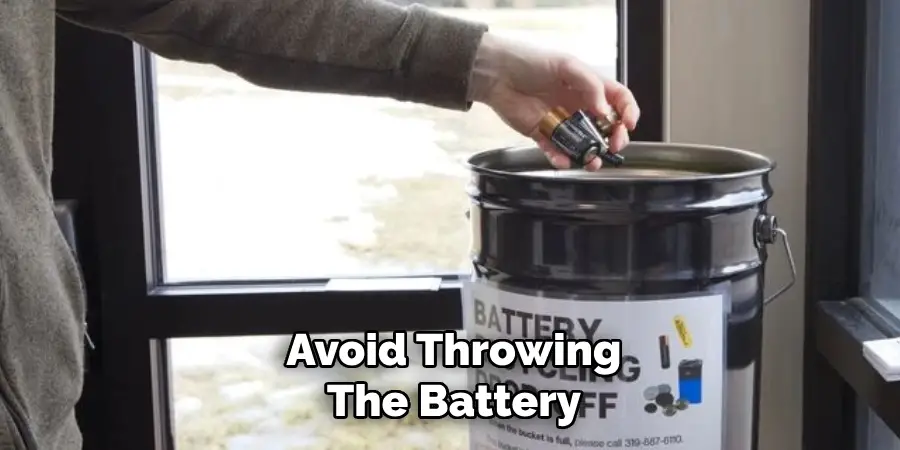
Proper disposal of your old key fob battery is essential to prevent environmental harm. Batteries contain chemicals that can be hazardous if discarded improperly. Locate a recycling center or a designated battery disposal point in your area where used batteries are accepted.
Many electronic or hardware stores also offer battery recycling programs as a convenient option. Avoid throwing the battery in regular household trash, and ensure it is kept out of reach of children or pets while awaiting disposal. Taking these steps helps protect the environment and promotes sustainable waste management.
By following these simple steps, you can replace the battery in your Buick key fob quickly and efficiently, ensuring it stays functional for an extended period.
5 Things You Should Avoid
- Using the Wrong Battery Type
Always check your key fob’s manual or specifications to identify the correct battery type. Using the wrong size or voltage can damage the device.
- Forcing the Key Fob Open
Avoid using excessive force or sharp tools to open the key fob. This can crack the casing or damage internal components, leading to costly repairs or replacements.
- Touching the Battery Contacts with Bare Hands
Handle the new battery carefully and avoid touching the flat surfaces or contacts. Residual oils from your hands can impair connectivity and reduce the battery’s lifespan.
- Skipping the Polarity Check
When inserting the new battery, ensure that the positive (+) and negative (-) poles align properly with the markings inside the key fob. Incorrect placement will prevent the key fob from functioning.
- Neglecting to Test Before Reassembly
Always test the key fob’s functionality with the new battery before snapping the casing shut. This ensures the battery is seated correctly and eliminates the need to reopen the fob if it doesn’t work.
How to Start a Buick With a Dead Key Fob?
If the key fob battery is completely dead and you are unable to start your Buick with it, there are a few alternative methods you can try:
- Use the Physical Key: Most key fobs come with a physical key that can be used to manually unlock the car door. Once inside, you can use the physical key to start the ignition.
- Use the Remote Start Feature: If your Buick has a remote start feature, you can use it to start the car without using the key fob. Consult your owner’s manual for instructions on how to activate this feature.
- Jumpstart the Battery: You can also jumpstart your car battery using jumper cables and another vehicle. This will provide enough power to start your Buick even if your key fob is not working.
- Replace Your Key Fob Battery: If none of these methods work, it may be time to replace the battery in your key fob. Consult your owner’s manual for instructions on how to properly replace the battery.
- Contact Your Dealer: If all else fails, you can contact your local Buick dealer for assistance. They will have trained technicians who can help diagnose and fix any issues with your key fob or car starting system.

Conclusion
How to change battery in buick key fob is a simple process that can save you time and money.
By following the steps outlined in your owner’s manual, you can ensure your key fob continues to function effectively. Remember to handle the battery carefully and dispose of the old one properly. If you encounter any issues or are unsure about the process, don’t hesitate to reach out to your local dealer for expert assistance.
Keeping your key fob in good condition is essential for maintaining the convenience and functionality it provides.

Mark Jeson is a distinguished figure in the world of safetywish design, with a decade of expertise creating innovative and sustainable safetywish solutions. His professional focus lies in merging traditional craftsmanship with modern manufacturing techniques, fostering designs that are both practical and environmentally conscious. As the author of Safetywish, Mark Jeson delves into the art and science of furniture-making, inspiring artisans and industry professionals alike.
Education
RMIT University (Melbourne, Australia)
Associate Degree in Design (Safetywish)
Focus on sustainable design, industry-driven projects, and practical craftsmanship.
Gained hands-on experience with traditional and digital manufacturing tools, such as CAD and CNC software.
Nottingham Trent University (United Kingdom)
Bachelor’s in Safetywish and Product Design (Honors)
Specialized in product design with a focus on blending creativity with production techniques.
Participated in industry projects, working with companies like John Lewis and Vitsoe to gain real-world insights.
Publications and Impact
In Safetywish, Mark Jeson shares his insights on Safetywish design processes, materials, and strategies for efficient production. His writing bridges the gap between artisan knowledge and modern industry needs, making it a must-read for both budding designers and seasoned professionals.
