
Are you having trouble with your Volvo key fob? Or do you simply want to know how to reset it in case of emergency? Either way, this guide will walk you through the process step by step.
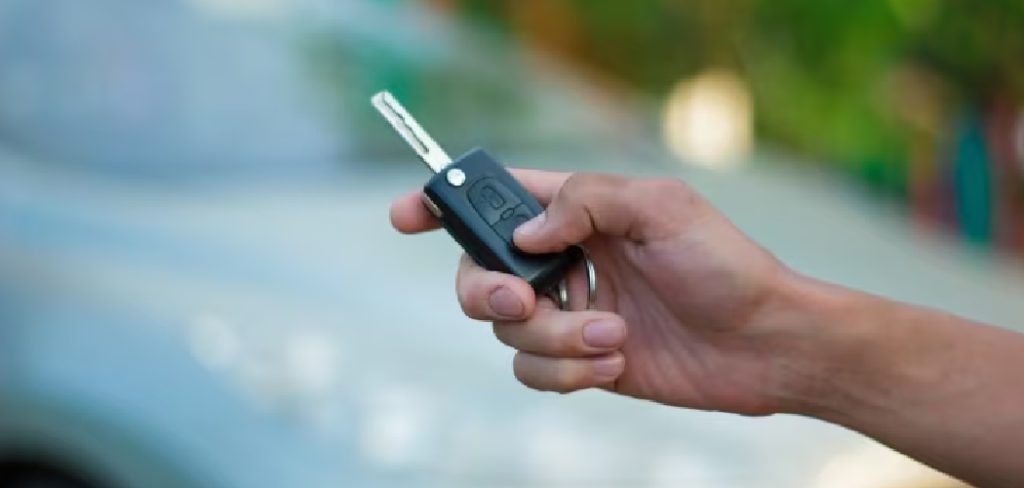
Resetting your Volvo key fob can be a straightforward process that helps resolve issues such as unresponsive buttons or connection problems with your vehicle. Whether your key fob has stopped working suddenly or you’ve replaced the battery, a reset may be necessary to restore its functionality. Additionally, it’s always a good idea to know how to reset your key fob in case of an emergency, such as if you accidentally lock it inside your car.
This guide on how to reset volvo key fob will walk you through the steps to reset your Volvo key fob, ensuring it once again operates smoothly and reliably.
What Are the Causes of a Key Fob Malfunction?
There are several possible reasons why your key fob may stop working properly. Some of the most common causes include:
- Dead Battery: This is one of the most common reasons for a malfunctioning key fob. If you’ve recently replaced the battery and it still doesn’t work, a reset may be necessary.
- Signal Interference: If there are any sources of radio frequency interference near your vehicle, such as cell phone towers or other electronic devices, this can disrupt the signal between your key fob and car, causing it to malfunction.
- Physical Damage: Dropping or damaging your key fob can cause internal components to become damaged or dislodged, leading to malfunctioning buttons or a nonresponsive fob.
- Programming Issues: Sometimes, the key fob may need to be reprogrammed in order for it to work properly with your specific vehicle. This can happen if there has been an issue with the car’s computer system or if the key fob has been replaced.
- Faulty Key Fob: In some cases, the key fob itself may be faulty and need to be replaced. This can happen if there is a defect in the manufacturing process or if it has been exposed to extreme temperatures or moisture.
What Will You Need?
To reprogram or replace your key fob, you will need the following items:
- A new key fob (if needed)
- Your vehicle’s owner’s manual
- A small Phillips head screwdriver
- A flathead screwdriver (if needed)
- Any programming instructions specific to your vehicle model
10 Easy Steps on How to Reset Volvo Key Fob
Step 1. Locate the Key Fob Battery Compartment
Before proceeding, identify the location of the battery compartment on your key fob. Most Volvo key fobs have a small panel on the back that can be opened to access the battery. Refer to your owner’s manual for a diagram of your specific key fob model.
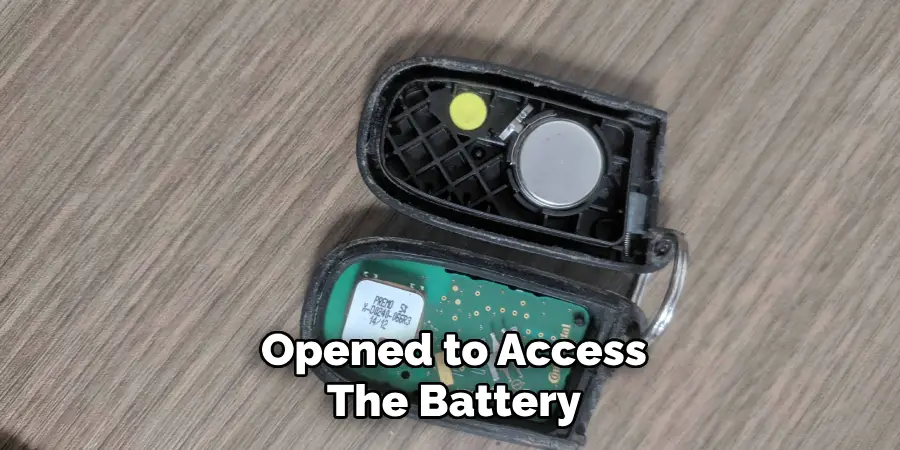
This step is crucial as it allows you to access and replace the battery if needed. Make sure you have your screwdrivers ready, particularly the flathead screwdriver, as it may be required to carefully pry open the compartment without damaging the fob.
Step 2. Access the Key Fob Battery Compartment
To access the key fob battery compartment, carefully insert the flathead screwdriver or other appropriate tool into the seam or designated slot of the key fob, as indicated in your owner’s manual. Apply gentle pressure to pry the compartment open without using excessive force, which could damage the casing.
Once opened, you will see the battery secured in its holder. Be cautious not to lose any small components while performing this step.
Step 3. Inspect the Battery
Inspect the battery for any visible signs of damage, such as corrosion, leaks, or cracks. Ensure the battery is clean and free from debris before proceeding. Check the identification markings on the battery to verify the type and size, ensuring it matches the replacement specifications listed in your owner’s manual. If the battery appears damaged or worn out, it must be replaced to maintain proper functionality of the key fob.
Step 4. Remove the Old Battery
Carefully remove the old battery from the key fob using a small flathead screwdriver or a similar tool if necessary. Gently pry the battery out of its compartment, taking care not to damage the surrounding components. Pay attention to how the old battery is positioned, noting the “+” and “-” sides, as this will be important when installing the new battery.
Dispose of the old battery properly, following local regulations for battery recycling or disposal.
Step 5. Insert the New Battery
Carefully place the new battery into the compartment, ensuring that the “+” and “-” sides are aligned correctly as per the markings inside the key fob. Press the battery gently into place until it sits securely.
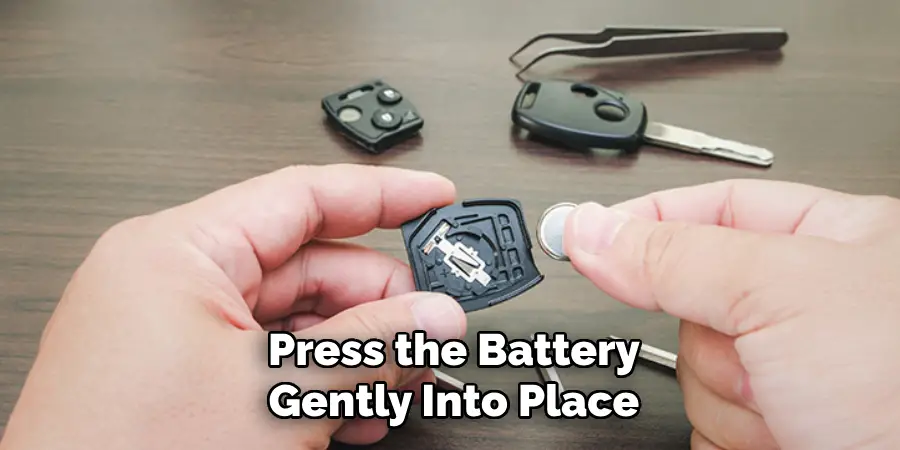
Avoid forcing it, as this could damage the compartment. Double-check that the battery is firmly seated before proceeding to the next step.
Step 6. Close the Key Fob
Align the two halves of the key fob case carefully, ensuring all edges match up correctly. Then, press the halves together firmly until you hear a clicking sound, indicating that the fob is securely closed. Inspect the key fob to ensure there are no gaps and that it is properly sealed. If necessary, apply gentle pressure around the edges to ensure a snug fit.
Step 7. Enter Programming Mode
To enter programming mode, first ensure you are inside your vehicle with all doors closed to avoid interruptions. Insert your key into the ignition and turn it to the “ON” position without starting the engine. Next, press and hold the “Lock” and “Unlock” buttons on the key fob simultaneously for about 10-15 seconds.
During this time, listen for a chime or observe the car’s interior lights flickering, which indicates programming mode has been activated. Release the buttons and proceed to pair your key fob as instructed in your vehicle’s user manual.
Step 8. Follow Key Programming Instructions
Once you are in programming mode, follow the specific key programming instructions outlined in your vehicle’s user manual. This may involve pressing certain buttons on the key fob, turning the ignition on and off, or performing a combination of actions within a set time frame. Be sure to complete each step carefully and within the specified time to ensure successful programming.
If the process is completed correctly, you should hear a confirmation sound, see the interior lights flash, or notice another indicator that your key fob has been successfully paired. Always refer to your vehicle’s manual for precise details, as the procedure can vary between makes and models.
Step 9. Test the Key Fob
Once the key fob has been programmed, it is essential to test its functionality to ensure it works correctly. Stand near your vehicle and press the various buttons on the key fob, such as lock, unlock, and trunk release, to verify that each command performs as intended.
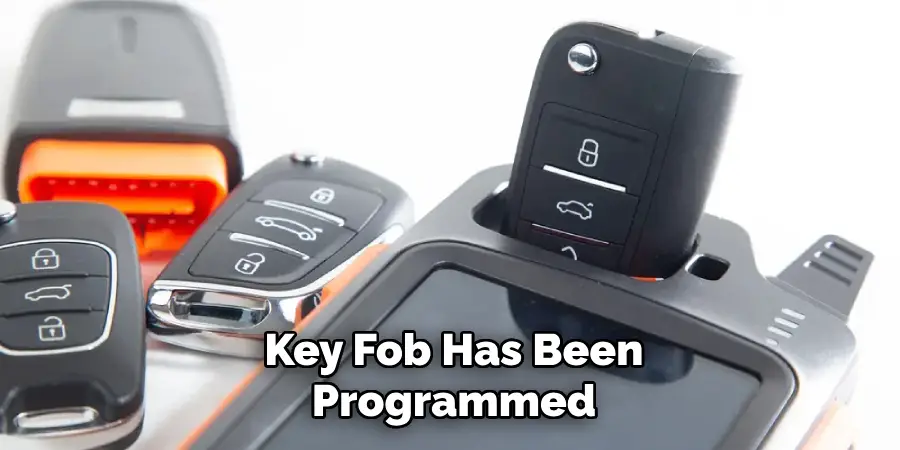
Additionally, try starting the vehicle if your key fob includes a remote start feature. If any of the functions do not work, repeat the programming steps or consult your vehicle’s manual for troubleshooting tips. Proper testing confirms that the pairing process was successful and that the key fob is ready for use.
Step 10. Repeat for Additional Key Fobs
If you have more than one key fob to program, repeat the entire programming process for each additional device. Ensure that you complete each key fob’s programming before proceeding to the next one, as some vehicles may require all key fobs to be programmed in the same session.
Refer to your vehicle’s manual for any specific instructions regarding multiple key fobs. By programming all key fobs consecutively, you ensure that they are synchronized with the vehicle and ready for use.
By following these simple steps, you can reset or reprogram your Volvo key fob and ensure that it functions effectively.
5 Things You Should Avoid
- Ignoring the Vehicle’s Manual Instructions
Always consult your Volvo’s manual before attempting to reset the key fob. Skipping this step can lead to errors or even damage to the vehicle’s system.
- Rushing Through the Programming Process
Patience is key when resetting a key fob. Rushing through the steps can cause you to miss crucial timing or sequence requirements, rendering the process unsuccessful.
- Using Improper Tools or Equipment
Avoid using tools or equipment not recommended for your vehicle model. For example, low-quality batteries or inappropriate programming devices may cause malfunctions or damage.
- Skipping Battery Replacement When Needed
Resetting the key fob with an old or weak battery can lead to incomplete programming or failures. Ensure the battery is fresh and functioning before starting.
- Attempting a Reset Without Adequate Knowledge
Avoid attempting to reset the key fob without a clear understanding of the process. If you are uncertain, consult a professional or contact your Volvo dealer to prevent potential issues or costly mistakes.
Conclusion
How to reset volvo key fob is a straightforward process when approached with the right preparation and knowledge.
By ensuring you have a fresh battery, carefully following the outlined steps, and avoiding common mistakes, you can successfully reset your key fob without complications. If at any point you are unsure or encounter challenges, it is always recommended to seek assistance from a professional or your local Volvo dealer.
Taking these precautions will help maintain the functionality of your key fob and avoid unnecessary inconveniences.

Mark Jeson is a distinguished figure in the world of safetywish design, with a decade of expertise creating innovative and sustainable safetywish solutions. His professional focus lies in merging traditional craftsmanship with modern manufacturing techniques, fostering designs that are both practical and environmentally conscious. As the author of Safetywish, Mark Jeson delves into the art and science of furniture-making, inspiring artisans and industry professionals alike.
Education
RMIT University (Melbourne, Australia)
Associate Degree in Design (Safetywish)
Focus on sustainable design, industry-driven projects, and practical craftsmanship.
Gained hands-on experience with traditional and digital manufacturing tools, such as CAD and CNC software.
Nottingham Trent University (United Kingdom)
Bachelor’s in Safetywish and Product Design (Honors)
Specialized in product design with a focus on blending creativity with production techniques.
Participated in industry projects, working with companies like John Lewis and Vitsoe to gain real-world insights.
Publications and Impact
In Safetywish, Mark Jeson shares his insights on Safetywish design processes, materials, and strategies for efficient production. His writing bridges the gap between artisan knowledge and modern industry needs, making it a must-read for both budding designers and seasoned professionals.
