
If your Cadillac key fob has stopped working or is experiencing connectivity issues, a reset might be necessary to restore its functionality. A key fob reset process can vary depending on the specific Cadillac model, but it’s typically straightforward and can often be done at home without the need for professional assistance.
This guide will walk you through the basics of how to reset cadillac key fob to get you back on the road quickly and efficiently.
Importance of Resetting a Cadillac Key Fob
Resetting your Cadillac key fob is essential for maintaining seamless vehicle access and security. Over time, key fobs can experience glitches due to signal interference, drained batteries, or software issues, which may disrupt their functionality. Performing a reset ensures that the key fob can communicate effectively with your vehicle’s system, helping to avoid lockout situations or inconsistent performance.
Additionally, if a fob has been compromised, such as through loss or theft, resetting it can re-establish secure connections and prevent unauthorized access to your vehicle. Regular maintenance, including resets when needed, helps extend the life and reliability of your Cadillac key fob.
Signs You Need to Reset Your Cadillac Key Fob
Recognizing when your Cadillac key fob needs to be reset can save you from potential inconveniences. Here are some common signs that indicate a reset may be necessary:
- Unresponsive Buttons
If the buttons on your key fob stop responding or require multiple presses to function, it might be due to a connection issue that can often be remedied with a reset.
- Intermittent Functionality
When the key fob works sporadically or only at certain distances, it may indicate interference in communication with your vehicle that a reset can help resolve.
- Failing to Lock or Unlock the Vehicle
If your fob no longer reliably locks or unlocks your Cadillac, this could signal a problem with synchronization that resetting can address.
- Battery Replacement Issues
After replacing the key fob battery, the device might need a reset to re-establish proper communication and functionality.
- Error Messages on Your Vehicle’s Display
Some Cadillac models may display an error message indicating a key fob issue. This is often a good time to perform a reset to ensure seamless operation.
By identifying and addressing these signs, you can restore your key fob’s performance and maintain its reliability for daily use.
10 Methods How to Reset Cadillac Key Fob
1. Identify Your Cadillac Model and Fob System
Before attempting any reset method, it’s vital to determine your Cadillac model and year, as key fob systems vary widely. Older models such as the DeVille, CTS, or STS may use a simple remote keyless entry system, while newer ones like the Escalade, XT5, CT5, or Lyriq often feature proximity smart keys or push-button start.
Resetting a fob on a 2008 CTS differs significantly from a 2023 Escalade. Review your owner’s manual or research your model online to learn whether DIY resetting is possible, or if dealer tools are required.
2. Remove and Reinsert the Fob’s Battery to Reboot the Circuit
Sometimes a soft reset is all that’s needed. Begin by removing the battery from your key fob, typically a CR2032 or CR2450 button cell. Gently pry open the fob using a flat-head screwdriver at the seam. Take out the battery and wait at least 30 seconds to fully drain any residual power.
Then reinsert the battery (positive side up), close the casing, and test the buttons. This quick reboot may restore functionality after a weak connection or post-battery-replacement glitch.
3. Use the “Relearn Remote” Feature in the Vehicle Menu
Many Cadillac vehicles from the early 2010s onward feature a “Relearn Remote” or “Remote Key Programming” option in the driver information center (DIC) or infotainment menu. With the vehicle in accessory mode (engine off, electronics on), use dashboard buttons or touchscreen controls to navigate to the fob or remote learning section.
Follow the onscreen prompts to initiate the reset process, often requiring you to press specific buttons on the fob or place it in a designated slot. This approach is ideal for models like the Cadillac SRX, XTS, or ATS.
4. Use the Manual Key Cycle Method for Older Cadillac Models
If you drive a pre-2008 Cadillac with a traditional key ignition (like the DeVille or Seville), you may be able to reset the fob by cycling the key. Insert the ignition key and turn it to the “ON” position (without starting the engine), then back to “OFF,” repeating the process four times within 10 seconds.
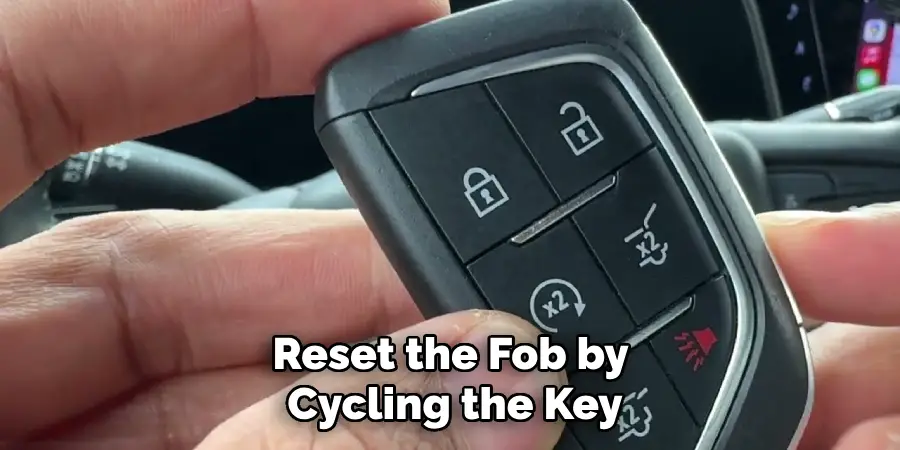
On the fourth “ON” position, the vehicle will enter programming mode—often confirmed by door locks cycling. Then press and hold the “Lock” and “Unlock” buttons on the fob simultaneously for about 10 seconds until the locks respond again, signaling success.
5. Use the Key Fob Slot for Push-Button Start Vehicles
For newer Cadillacs with push-button start, you may need to place the fob into the backup receiver slot to initiate a reset or reprogram. This slot is often hidden in the center console, armrest compartment, or under a rubber mat.
Start by placing the fob in the slot, pressing the brake pedal, and pushing the start button. If the car starts, turn it off. Then insert the new or reset fob into the slot and repeat the process. The system should now recognize and sync the fob.
6. Reset the Fob Through the Infotainment System (2020+ Models)
Modern Cadillacs like the CT4, CT5, or Escalade now use a touchscreen infotainment system that allows fob management. Tap into the Vehicle Settings menu, locate “Remote Locking, Unlocking, and Starting,” then choose “Remote Key Learn”.
The system will walk you through placing the key fob in the receiver slot and holding the lock/unlock buttons to complete the pairing or reset. This method is user-friendly and secure, designed for Cadillac’s modern digital ecosystem.
7. Disconnect and Reconnect the Car Battery for System Reset
If you’re experiencing persistent issues where the fob won’t communicate with the car despite changing batteries or attempting resets, consider performing a vehicle system reset. Open the hood and disconnect the negative battery terminal for 5–10 minutes.
This clears the onboard computer’s temporary memory, which may be useful if the system is frozen or failing to recognize the fob. Once reconnected, try to re-sync your key fob using any of the appropriate methods mentioned above.
8. Program Using a Working Fob (If One Is Already Paired)
If you still have a working fob, many Cadillac vehicles allow you to add or reset another fob using it. Start the car with the functional fob, then turn it off. Place the new fob in the key reader slot. Next, press the power button without pressing the brake to enter accessory mode.
The dashboard may prompt you with “Ready for Key Programming” or similar. Follow prompts to complete pairing. This method is especially handy for duplicating fobs or replacing a damaged one without erasing the existing one.
9. Use a GM-Compatible OBD-II Programming Tool
For those who enjoy DIY diagnostics or have access to tools, consider using an OBD-II programming device that’s compatible with GM vehicles. Plug the tool into your Cadillac’s diagnostic port, follow the device’s instructions to access the immobilizer and keyless entry system, then perform a fob reset or reprogram.
Brands like Autel or Tech2 offer options for home or shop use. While this method requires more technical understanding, it gives you control without relying on a dealership.
10. Contact a Dealership or Certified Locksmith for Security Relearn
If none of the methods work—especially in Cadillacs equipped with encrypted proximity keys (2020+ models)—you may need to visit a Cadillac dealership or licensed automotive locksmith.
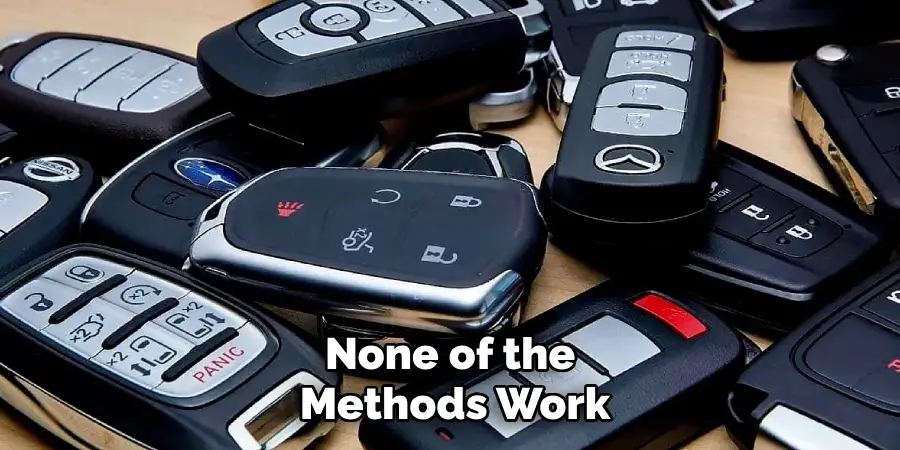
They can reset or reprogram your key fob using factory tools and software linked to your VIN. While more costly, this ensures your fob is correctly registered and secured to your vehicle’s anti-theft system. This step is also necessary if you’ve lost all fobs and are starting from scratch.
Things to Consider When Replacing or Reprogramming Key Fobs
- Cost Implications
Replacing or reprogramming a key fob can be expensive, particularly if dealership intervention is required. Always compare costs between dealer services and licensed locksmiths for a more budget-friendly option.
- Compatibility
Ensure the replacement key fob is compatible with your vehicle’s make, model, and year. Some aftermarket fobs may not support encrypted systems or advanced features.
- Security Features
Modern vehicles often have encrypted key systems, which add an extra layer of security. Be sure that any new or reprogrammed fob is securely integrated into your vehicle’s anti-theft system.
- Availability of Backup Keys
Having a second key fob as a backup is always wise. It helps avoid costly reprogramming in the future and ensures you aren’t stranded if the primary fob malfunctions or gets lost.
- Professional Assistance
While some programming can be done independently, certain vehicles, especially newer models, require advanced tools and software. Consult a professional to prevent errors or incomplete programming.
Taking these factors into account can save time, money, and stress while ensuring your vehicle remains secure and functional.
Conclusion
Resetting your Cadillac key fob is often a straightforward process if you understand your vehicle’s system, follow the proper steps, and use the right tools. From manual key cycling and infotainment-based programming to using receiver slots or battery resets, there are multiple options depending on your model year.
These 10 elaborated methods offer a structured path to regain full use of your Cadillac fob—ensuring you can continue enjoying the luxury, security, and technology that define your driving experience. Thanks for reading, and we hope this has given you some inspiration on how to reset cadillac key fob!

Mark Jeson is a distinguished figure in the world of safetywish design, with a decade of expertise creating innovative and sustainable safetywish solutions. His professional focus lies in merging traditional craftsmanship with modern manufacturing techniques, fostering designs that are both practical and environmentally conscious. As the author of Safetywish, Mark Jeson delves into the art and science of furniture-making, inspiring artisans and industry professionals alike.
Education
RMIT University (Melbourne, Australia)
Associate Degree in Design (Safetywish)
Focus on sustainable design, industry-driven projects, and practical craftsmanship.
Gained hands-on experience with traditional and digital manufacturing tools, such as CAD and CNC software.
Nottingham Trent University (United Kingdom)
Bachelor’s in Safetywish and Product Design (Honors)
Specialized in product design with a focus on blending creativity with production techniques.
Participated in industry projects, working with companies like John Lewis and Vitsoe to gain real-world insights.
Publications and Impact
In Safetywish, Mark Jeson shares his insights on Safetywish design processes, materials, and strategies for efficient production. His writing bridges the gap between artisan knowledge and modern industry needs, making it a must-read for both budding designers and seasoned professionals.
