
A Mercedes-Benz key fob is a small but powerful piece of technology that gives you seamless access to your vehicle. Over time, you might need to open it up for a battery replacement, a deep cleaning, or a simple repair. While it might seem intimidating, learning how to take apart Mercedes key fob is a straightforward process that any owner can master with a little patience and the right guidance.
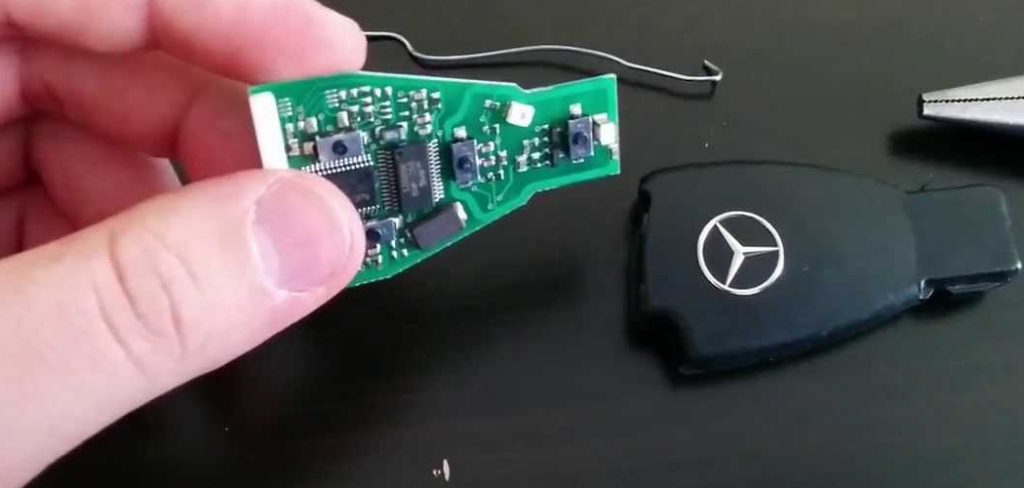
This guide is designed to walk you through each step, making the task feel less like a complex repair and more like a simple, manageable bit of DIY maintenance. We’ll demystify the process, ensuring you have the confidence to handle your key fob with care and precision.
Taking apart your Mercedes key fob doesn’t require any special technical expertise, and it can save you time and money by avoiding a visit to the dealership. Whether you’re replacing the battery, fixing a stuck button, or addressing another minor issue, gaining a basic understanding of your key fob’s components is essential. By following a few simple steps, you can ensure your key fob continues to function properly while extending its lifespan. This guide will help you approach the task with ease and precision.
Why You Might Need to Open Your Key Fob
Your key fob is a daily-use item, and like any electronic device, it requires occasional maintenance. The most common reason to open it is for a battery change. You’ll know it’s time when you see a “Key Battery Low” warning on your dashboard or notice a reduced signal range. Another reason is to clean the internal components. Dust, lint from pockets, or minor spills can get inside and affect the buttons’ responsiveness. Finally, you may need to access the internal circuit board to inspect for damage if the fob stops working unexpectedly. Knowing how to open it yourself can save you a trip to the dealership and the associated costs.
How to Take Apart Mercedes Key Fob: A Step-by-Step Guide
Here is a detailed breakdown of the process. Follow these instructions carefully to ensure you don’t damage any of the delicate internal parts of your fob.
Step 1: Release the Mechanical Key
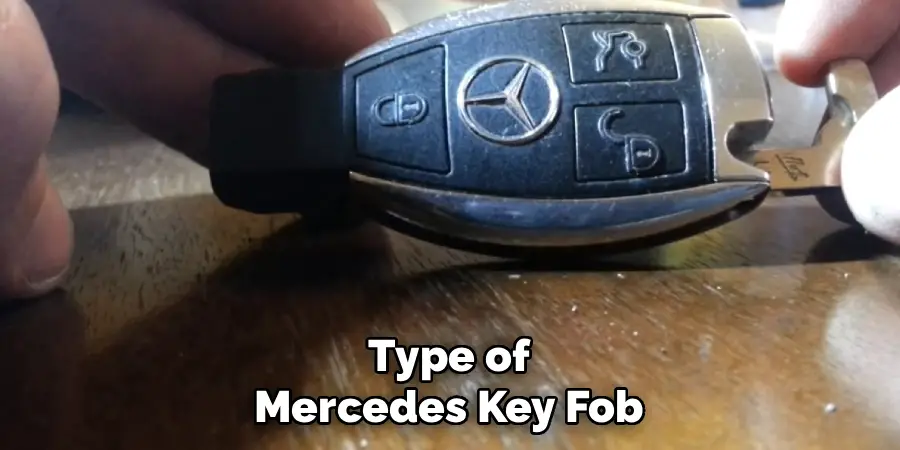
Before you can open the main casing, you must first remove the emergency mechanical key. On the back of your key fob, you will find a small, square-shaped release tab. Slide and hold this tab to the side. While holding it, you can pull on the chrome key ring end of the fob, and the mechanical key will slide out smoothly. This key is not only for emergencies but also acts as a lock, holding the battery compartment cover in place. Set it aside in a safe place, as you will need it again during reassembly. This is the essential first action in accessing the internal parts.
Step 2: Locate the Battery Compartment Cover
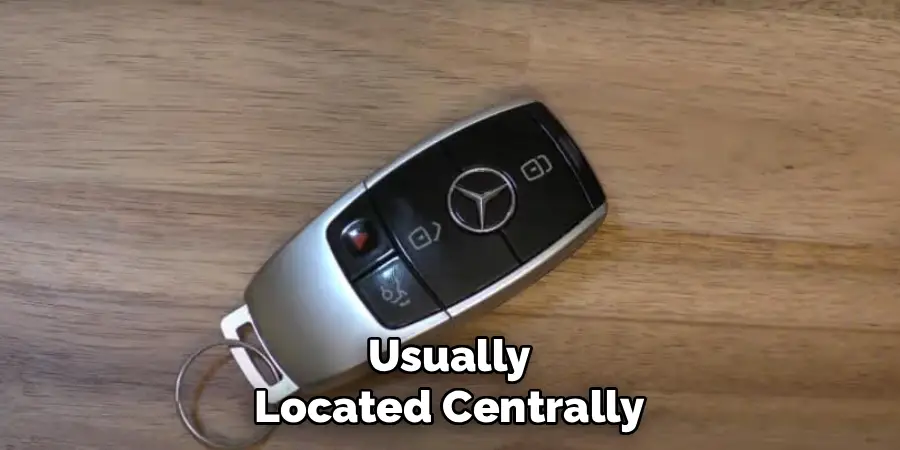
With the mechanical key removed, you now have access to the battery compartment. Look into the slot where the key was housed. You will see a small, dark grey or black plastic tab inside. This tab is part of the battery compartment cover. This cover is what you will need to pry open to get to the battery itself. On some older models, the cover might be the entire backplate of the key fob. On newer “Chrome Key” styles, it’s a small, distinct circular or rectangular piece at the end of the fob. Identifying the correct part to remove is crucial to avoid breaking the main housing.
Step 3: Use the Mechanical Key as a Lever
Mercedes-Benz designed the key fob with clever engineering, allowing you to use the mechanical key as a tool. Insert the tip of the mechanical key into the small opening you exposed in the previous step. You are going to use it as a lever to pop off the back cover. Gently push the key inward against the plastic tab inside the slot. You should feel a slight click as the cover disengages from the main body of the fob. Apply steady, even pressure rather than a sudden jerking motion to prevent snapping the plastic clips that hold the cover in place.
Step 4: Remove the Back Cover
Once you hear the click, the back cover should be loose. You can now gently pry it off with your fingers or the tip of the mechanical key. Be careful not to force it, as there are small plastic tabs that can break easily. Work your way around the seam, gently lifting until the cover comes off completely. Place the cover aside with your mechanical key. This will expose the battery or batteries, depending on your key fob model. Take a moment to observe how the cover fits so you can easily snap it back on later.
Step 5: Access the Battery
Now that the back cover is off, you will see the circular battery. Most Mercedes key fobs use one or two CR2025 batteries. Before removing the old one, pay close attention to its orientation—specifically, which side is facing up (positive or negative). Usually, the positive (+) side, marked with text, faces outward. You can use a small, non-metallic tool like a plastic pry tool or even your fingernail to gently pop the battery out of its holder. Avoid using metal tools like a screwdriver, as this can scratch the contacts or short the circuit board.
Step 6: Separate the Main Housing (If Necessary)
For tasks beyond a simple battery change, such as cleaning the buttons or inspecting the circuit board, you may need to separate the main fob housing. This step is often unnecessary for most maintenance. If you must proceed, look for small clips or seams along the side of the key fob. You may need a thin plastic pry tool to gently work your way around the perimeter, releasing the clips that hold the two halves of the shell together. This is a delicate part of learning how to take apart Mercedes key fob, so proceed with extreme caution to avoid cosmetic or functional damage.
Step 7: Reassemble Your Key Fob
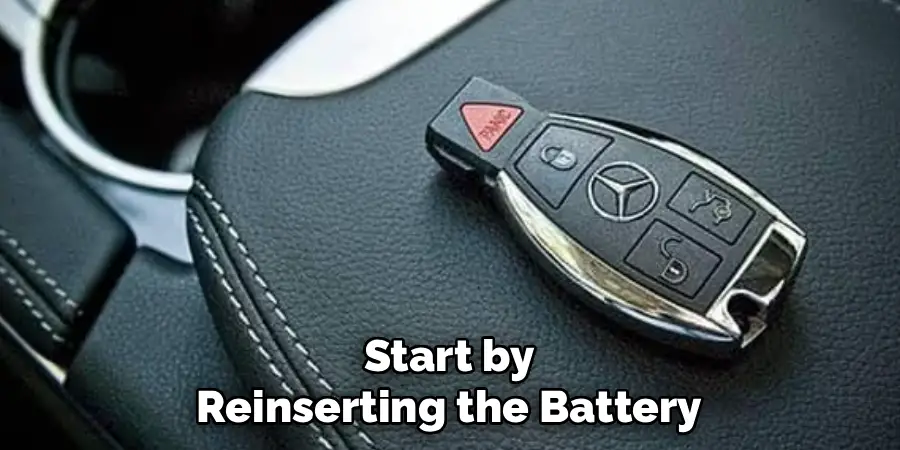
Once your maintenance is complete, reassembly is simply the reverse of the disassembly process. If you separated the main housing, carefully snap the two halves back together, ensuring all clips engage. Next, insert the new battery (or batteries) with the correct polarity, making sure the positive side faces up. Place the battery compartment cover back on and press down firmly until it clicks securely into place. Finally, slide the mechanical key back into its slot until it locks. Test the fob’s functions to ensure everything is working correctly.
Common Key Fob Issues
Key fobs are incredibly convenient, but they are not without their occasional issues. One of the most common problems is a dead or low battery, which can prevent the fob from transmitting the necessary signal to the vehicle. Replacing the battery typically resolves this issue. Another frequent problem involves signal interference, which can occur when the fob is near other electronic devices or in areas with strong electromagnetic fields.
Physical damage, such as cracks in the housing or worn-out buttons, can also hinder functionality. Additionally, issues with the internal circuitry, though less common, may require professional repair or fob replacement. To prevent these problems, it is essential to handle your key fob with care, replace the battery promptly when needed, and store it in a safe place away from potential hazards.
Frequently Asked Questions
What Type of Battery Does a Mercedes Key Fob Use?
Most modern Mercedes-Benz key fobs use one or two CR2025 3V lithium coin batteries. However, some older models might use a different size, such as the CR2032. It is always best to open the fob and check the existing battery’s model number before purchasing a replacement.
Can I Reprogram My Key Fob After Taking It Apart?
Disassembling the key fob for a battery change or cleaning will not cause it to lose its programming. The memory is stored on a non-volatile chip, meaning it doesn’t need power to retain its connection to your vehicle. You should be able to use it immediately after reassembly.
What Should I Do if a Button Stops Working?
If a button is unresponsive, the issue is often dirt or debris under the rubber contact pad. After carefully opening the main housing, you can clean the circuit board and the back of the rubber buttons with a cotton swab lightly dampened with isopropyl alcohol to restore proper contact.
How Much Does a Mercedes Dealership Charge to Change a Key Fob Battery?
A dealership may charge anywhere from $50 to over $100 for a simple battery replacement service. This cost covers the battery and the labor involved. By learning to do it yourself, you can save a significant amount of money, as the batteries themselves only cost a few dollars.
Is It Possible to Break the Key Fob While Opening It?
Yes, it is possible to damage the key fob if you use excessive force. The plastic housing and internal clips are delicate. The key is to be gentle and patient. Use plastic pry tools instead of metal ones and follow the steps carefully to minimize the risk of damage.
Conclusion
Successfully maintaining your own vehicle, even in small ways, can be incredibly rewarding. Now that you have a clear, step-by-step guide, the task of opening your key fob should feel completely manageable. Whether you’re replacing a battery or giving the internal components a much-needed cleaning, you possess the knowledge to do it with confidence. Remember to work slowly, use the right tools, and pay attention to the details. Mastering how to take apart Mercedes key fob is a simple skill that empowers you as a car owner and can save you both time and money.

Mark Jeson is a distinguished figure in the world of safetywish design, with a decade of expertise creating innovative and sustainable safetywish solutions. His professional focus lies in merging traditional craftsmanship with modern manufacturing techniques, fostering designs that are both practical and environmentally conscious. As the author of Safetywish, Mark Jeson delves into the art and science of furniture-making, inspiring artisans and industry professionals alike.
Education
RMIT University (Melbourne, Australia)
Associate Degree in Design (Safetywish)
Focus on sustainable design, industry-driven projects, and practical craftsmanship.
Gained hands-on experience with traditional and digital manufacturing tools, such as CAD and CNC software.
Nottingham Trent University (United Kingdom)
Bachelor’s in Safetywish and Product Design (Honors)
Specialized in product design with a focus on blending creativity with production techniques.
Participated in industry projects, working with companies like John Lewis and Vitsoe to gain real-world insights.
Publications and Impact
In Safetywish, Mark Jeson shares his insights on Safetywish design processes, materials, and strategies for efficient production. His writing bridges the gap between artisan knowledge and modern industry needs, making it a must-read for both budding designers and seasoned professionals.
